Documentation
The full configuration reference for Ratatoskr — dialogs, workflows, triggers, and the CLI.
Overview
Ratatoskr shows information and collects input from macOS users, driven by your MDM. Dialogs and workflows are defined declaratively in a configuration profile and evaluated DDM-style — Ratatoskr keeps reminding until the goal is reached — and it responds to many kinds of triggers, not just a script invocation.
No middleman: everything runs on-device. No telemetry, no cloud. The daemon is the single source of truth for config, state, queue and decisions; agents are thin presenters.
Requirements
- macOS 26 or later
- Universal binary — Apple Silicon and Intel
- Jamf Pro for the ready-made schema/Extension Attributes (any MDM can deploy the underlying profile and pkg)
Installation & Deployment Order
Deploy in this order — the Managed Login Items profile first, so macOS never shows the user a "background item added" alert for an app that isn't approved yet:
| Order | Item | Purpose |
|---|---|---|
| 1 | Profiles/Ratatoskr-ManagedLoginItems.mobileconfig | Required — approves the daemon/agent as login items, suppresses the "background item added" alert |
| 2 | Profiles/Ratatoskr-Notifications.mobileconfig | For banner-style dialogs — without it, the user is asked once |
| 3 | Profiles/Ratatoskr-PPPC.mobileconfig | Lets Restart/Logout/Shutdown buttons work without a consent prompt |
| 4 | Ratatoskr-0.1.4.pkg | Installs the app, launchd jobs, and the ratatoskr CLI at /usr/local/bin/ratatoskr |
| 5 | Your configuration profile(s) | Define your own dialogs/workflows — see Example Configurations |
Config changes apply within about 10 seconds of profile install/change/removal; removing a profile cancels any pending or showing dialog it defined. Uninstall with sudo "/Library/Application Support/Ratatoskr/uninstall.sh" (add --keep-data to preserve state).
How Configuration Works
Ratatoskr reads Managed Preferences at the domain com.spectrechen.Ratatoskr, holding Settings, Branding, Scripts, Dialogs, Workflows, and Conditions. Only computer-level managed preferences are trusted for Scripts — user-level preferences may define dialogs/workflows, but never scripts.
Settings
"Settings": {
  "LogLevel": "info",                 // debug | info | notice | error
  "LoginGracePeriodSeconds": 60,
  "PresentationDeferralMaxMinutes": 60,
  "RespectFocusAndPresenting": true,
  "StatusRetentionDays": 90,
  "JamfBinaryPath": "/usr/local/bin/jamf",
  "LoginWindowNoticesEnabled": true,
  "MaxMediaSizeMB": 500
}
Branding
OrganizationName, Logo (Light/Dark media), DefaultIcon, AccentColor (a string, or {Light,Dark}), AllowedMediaHosts (array, wildcards like *.acme.com allowed), SupportText, SupportURL — shown in the dialog footer.
Domains & Merging
Beyond the main domain, additional domains named com.spectrechen.Ratatoskr.<suffix> — e.g. com.spectrechen.Ratatoskr.wf.macos-update — can each carry their own Dialogs/Workflows/Scripts/Conditions. The daemon merges every domain, because macOS itself won't merge the same key across two profiles targeting one domain. This is exactly how Jamf's per-workflow custom schema (Jamf/ratatoskr-workflow-schema.json) works — one workflow, one profile, one domain.
IDs must be unique across every merged domain. On a collision, the main domain wins, then whichever domain sorts alphabetically first — and an error is logged either way, so a collision is never silent.
Localization & Placeholders
Any text field accepts a plain string, or a per-language object:
{ "en": "Your Mac needs an update.", "de": "Dein Mac braucht ein Update.", "default": "en" }Ratatoskr picks a variant from Locale.preferredLanguages, falling back to default, then en, then the first entry present.
Placeholders, substituted at presentation time:
{{env.KEY}} only resolves for CLI calls, from a RATATOSKR_VAR_KEY environment variable.
Styles
| Style | What it is |
|---|---|
window | A floating, centered SwiftUI window using the system material. Shown on the active space and follows the user to every space they move to. |
fullscreen | Covers every display and hides the Dock and menu bar. Only its own buttons can close it — it must offer at least one button unless it has a timeout. |
banner | A Notification Center notification with up to 4 action buttons and text input. Rich media limited to one image attachment. Falls back to window (or whatever BannerFallback names) if notifications are off. |
loginwindow | An info-only notice on the login window — no buttons or fields, disappears on login. |
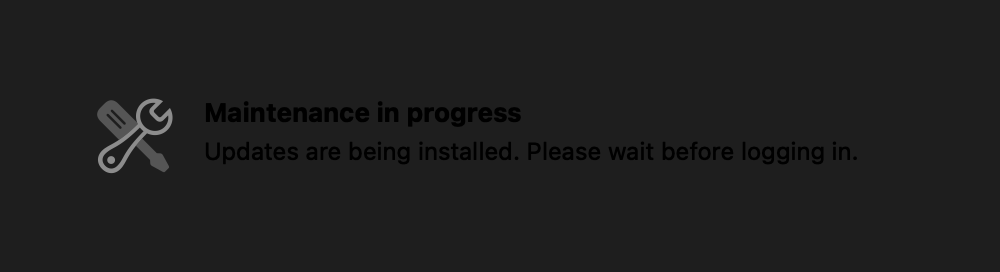
loginwindow notice — no buttons, no fields, just information before the user even logs in.Content & Media
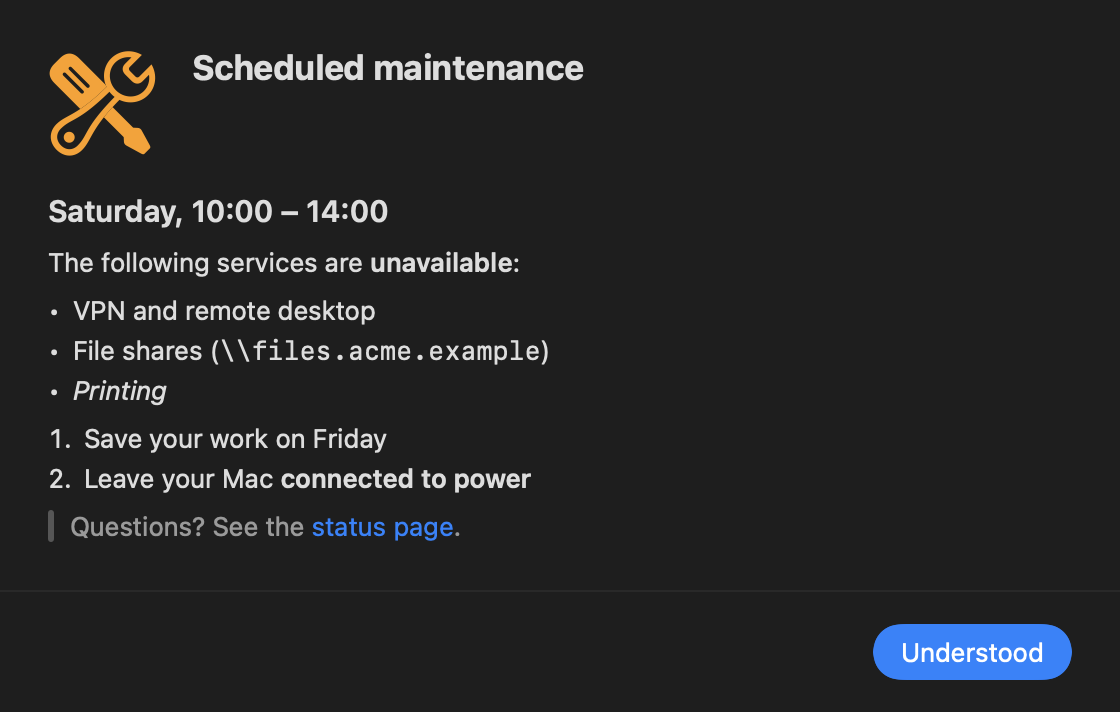
Message text supports Markdown. Media items can be an SF Symbol, inline base64 data, an MDM-deployed file path, or a remote URL — each optionally with a light/dark variant and a fallback:
{ "SFSymbol": "exclamationmark.shield.fill", "Color": "#FF9F0A", "Effect": "pulse" }
{ "Data": "<base64>", "Type": "png" }                       // inline, keep it under ~200 KB
{ "Path": "/Library/Application Support/Acme/banner.png", "Fallback": { "SFSymbol": "..." } }
{ "URL": "https://cdn.acme.com/intro.mp4", "SHA256": "...", "Fallback": { "SFSymbol": "..." } }
{ "Light": { "SFSymbol": "sun.max" }, "Dark": { "SFSymbol": "moon.stars" } }
Supported media: PNG, JPEG, HEIC, GIF (animated), PDF, MP4/MOV, Markdown, and web pages (host must be in AllowedMediaHosts). SVG is not supported. SF Symbol effects: pulse, bounce, breathe, wiggle, rotate.
Remote media rules: HTTPS only, host must be allowlisted, size capped at MaxMediaSizeMB (default 500), and it's pre-fetched and verified (SHA-256 if given) before the dialog ever tries to show — a missing required item with no fallback postpones the run rather than showing a broken dialog.
Input Fields
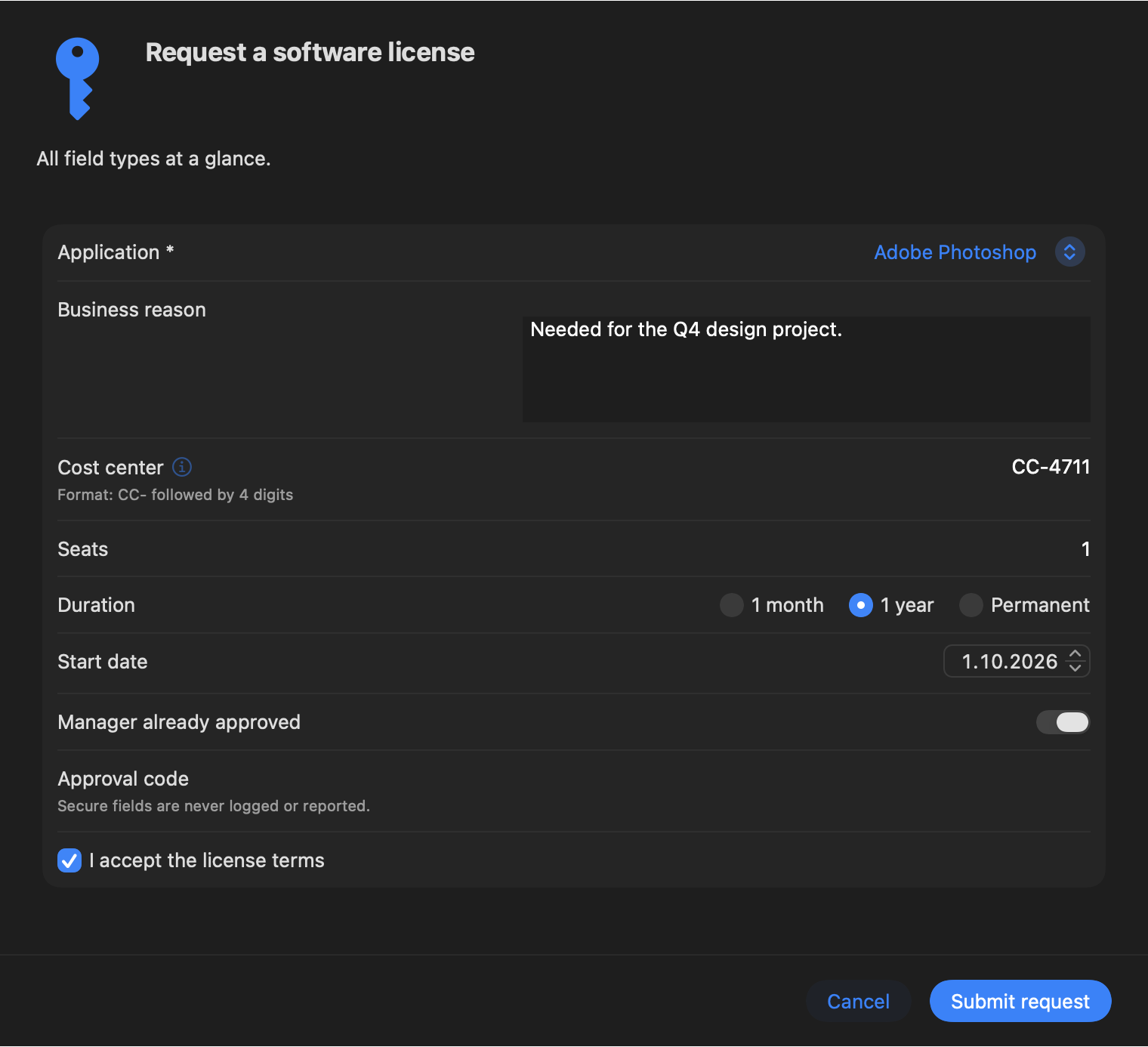
Field types: text, textarea, secure (never logged or stored — delivered only to CLI stdout), number, dropdown, radio, checkbox, toggle, and date.
{ "ID": "assetTag", "Type": "text", "Label": "Asset tag", "Placeholder": "A-12345",
  "Required": true, "Regex": "^A-\\d{5}$", "RegexError": "Format A-12345",
  "Help": "Format: A- followed by 5 digits",
  "Info": "Printed on the **sticker** under your Mac" }
A field with "Report": true has its value copied into status.plist/the Jamf Extension Attribute — never possible for secure fields. A button with "Validates": true only becomes active once every field on the dialog is valid.
Info vs. Help: Help is a short caption under the field. Info, added in v0.1.4, is an ⓘ button next to the label that opens a Markdown popover and also shows as a hover tooltip — for longer explanations that would clutter the field itself. ratatoskr validate warns if a field has a Regex but neither.
Button Actions
Up to 4 buttons per dialog (or 4 action buttons on a banner). Each button runs zero or more actions:
| Action | Parameters | Runs as |
|---|---|---|
OpenURL | URL (https, mailto, jamfselfservice://, companyportal:, …) | user |
OpenSettings | Pane (e.g. softwareUpdate, privacy.location, network, vpn, loginItems, battery) | user |
OpenApp | BundleID or Path, optional Arguments | user |
OpenFile | Path | user |
RunScript | ScriptID | root or user, per the script's own RunAs |
JamfPolicy | Event | root (daemon) |
Defer | Options in minutes, e.g. [60, 240, 1440], shown as a menu | engine |
Restart / Logout / Shutdown | Confirm: true | user (standard Apple events to loginwindow) |
CopyToClipboard | Text | user |
SetState | Key, Value — a custom status value for the EA | engine |
CompleteWorkflow | – | engine |
Scripts run via RunScript receive RATATOSKR_BUTTON, RATATOSKR_FIELD_<ID> (never for secure fields), RATATOSKR_USER, and RATATOSKR_WORKFLOW as environment variables; stdout/stderr are captured to the log, truncated at 64 KB.
Triggers
| Trigger | Detected by | Notes |
|---|---|---|
boot | Daemon, at launch | Queued until a user logs in |
login | Per-user agent launch | Respects LoginGracePeriodSeconds |
unlock, wake | Agent (screen unlock / NSWorkspace wake) | — |
networkChange | Daemon, NWPathMonitor | Debounced 5 seconds |
network (match) | Daemon, evaluates a NetworkMatch on every path change | Fires only on transition into "matched" |
schedule, calendar | Daemon's internal scheduler | Catches up after sleep, at most one catch-up run |
pathAppeared | Daemon, FSEvents | — |
appLaunched | Agent, NSWorkspace | — |
powerSourceChange | Daemon, IOKit | — |
profileChanged | Daemon, managed-prefs watcher | — |
manual | ratatoskr trigger <workflowID> | Requires "UserTriggerable": true for non-root callers |
A network trigger can match on more than just "connected" — a specific DNS search domain, a reachable host, the default gateway, an interface type, or (opt-in) SSID:
{ "Any": [
    { "DNSSearchDomain": "corp.acme.com" },
    { "HostReachable": "intranet.corp.acme.com", "Port": 443, "ExpectHTTPStatus": 200 },
    { "DefaultGateway": "10.1.0.1" },
    { "InterfaceType": "vpn" },
    { "SSID": "ACME-Corp" }
] }
SSID matching needs Location Services. Since macOS 14, reading the SSID requires Location authorization, requested only if a deployed workflow actually uses an SSID match. If the user refuses, SSID matches are simply false and a warning is logged — prefer a DNS/host/gateway fingerprint instead where you can.
Conditions
Conditions gate eligibility and completion. Types: osVersion, fileExists, appInstalled (bundle ID + optional minimum version), profileInstalled, processRunning, script (exit 0 = true), network (a NetworkMatch), uptimeDays, diskFreeGB, batteryPercent, onACPower, consoleUserIn, plus always/never. Operators: == != < <= > >=. Combine with { "All": [...] }, { "Any": [...] }, or { "Not": ... }, referencing condition IDs or nesting them inline.
{ "ID": "os-current", "Type": "osVersion", "Operator": ">=", "Value": "26.1" }Escalation & Deferral
A workflow references one dialog per stage, escalating as conditions are met:
{
  "ID": "macos-update-26-1",
  "Version": 3,
  "Triggers": [ "login", "unlock", "wake",
                { "Type": "schedule", "Interval": "4h" } ],
  "Stages": [
    { "DialogID": "update-soft", "Until": { "DeferralsUsed": 3 } },
    { "DialogID": "update-firm", "Until": { "Before": "2026-10-15T09:00:00Z" } },
    { "DialogID": "update-block" }
  ],
  "Deferral": { "MaxDeferrals": 5, "Deadline": "2026-10-20T17:00:00Z" },
  "Completion": {
    "ButtonIDs": ["update"],
    "RequireConditionAfterButton": true,
    "Condition": "os-current"
  },
  "OnComplete": [ { "Type": "JamfPolicy", "Event": "recon" } ]
}
The current stage is the first one whose Until isn't yet met — by deferrals used, a deadline, or a run count. Once the deadline passes, Ratatoskr jumps straight to the last stage and hides any Defer buttons. Before presenting anything, the completion condition is checked first — if it's already true, the workflow completes silently without ever showing a dialog. That's self-healing: fix the underlying problem some other way, and Ratatoskr stops nagging on its own.
Bumping Version, removing the profile, or running sudo ratatoskr reset <id> all clear a workflow's state and start it over. Deferral-only buttons never complete a workflow on their own.
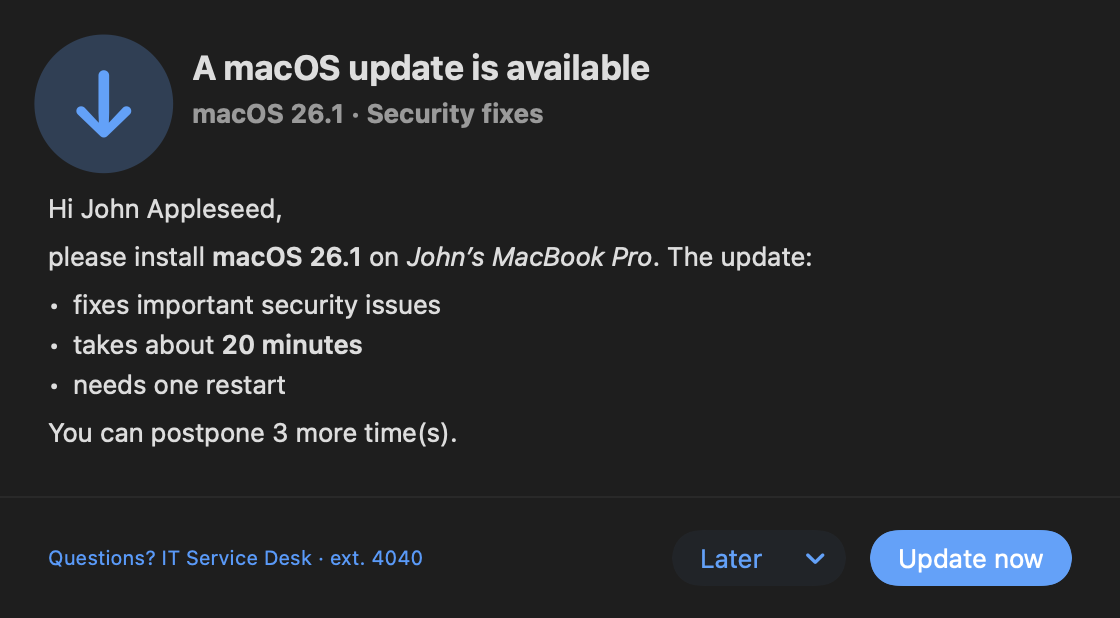
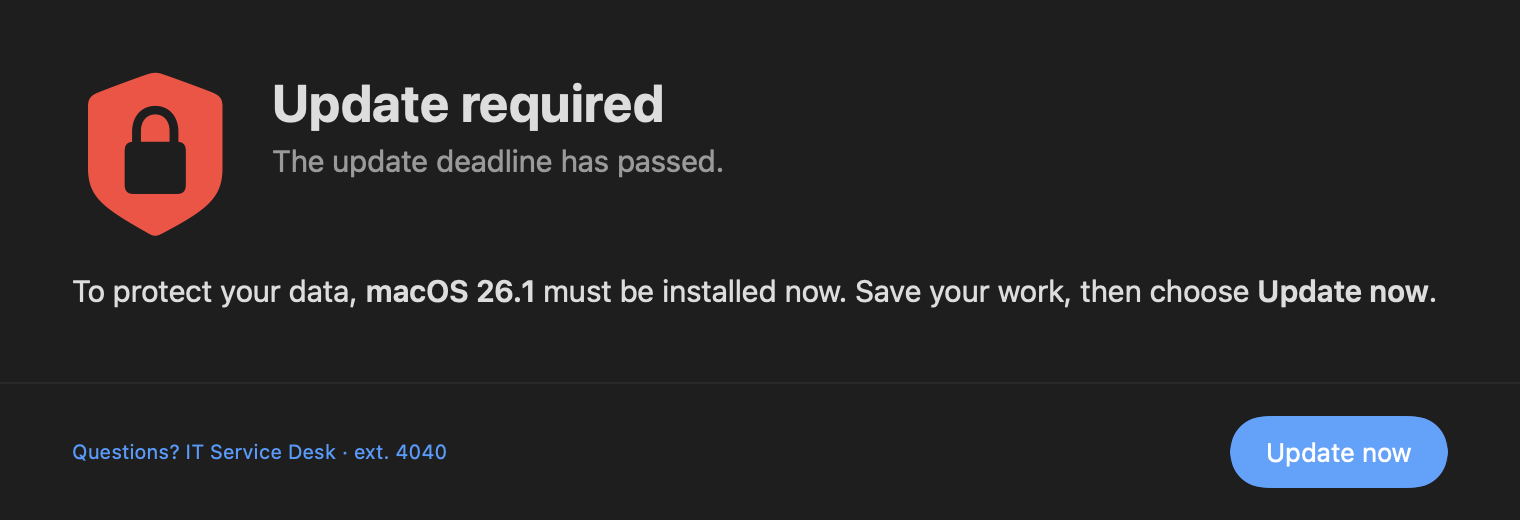
(Stage 2 — firm — is the one shown at the top of the product page.)
Presentation Policy
- One dialog at a time per user session, queued by priority (
critical>high>normal>low), then by queue time. criticaldialogs show immediately, ignoring Focus/presenting detection and the login grace period — but still wait behind another already-showing critical dialog.- With
RespectFocusAndPresentingon, non-critical dialogs wait (up toPresentationDeferralMaxMinutes) while a presenter/conferencing app holds a display-sleep-prevention assertion, or the frontmost app is full screen and on the "presenting" list. - A grace period after login/unlock/wake, set by
LoginGracePeriodSeconds, delays non-critical dialogs briefly so the user isn't hit with a dialog the instant they sit down. fullscreenhides the Dock and menu bar, but Force Quit stays available per Apple's own guidelines — and if the agent is force-quit, launchd restarts it and the dialog reappears.
CLI Commands
| Command | Who | Description |
|---|---|---|
show | root, user* | One-off dialog; waits and prints result JSON by default, exit code = the answer; --no-wait queues and returns a run ID |
trigger <id> | root, user* | Fires the manual trigger for a workflow |
status [<id>] [--json|--ea] | root, user (own) | Workflow state; --ea prints the Jamf Extension Attribute format |
result <runID> | root | Result of an earlier --no-wait run |
reset / complete <id> | root | Clear or finish a workflow's state |
validate <file> | anyone | Validates a dialog/config file (JSON, plist, mobileconfig) |
preview <file> [--dialog ID] [--stage N] | anyone | Renders locally, no daemon/state/scripts needed — actions are logged, not run |
logs [--last 1h] [--follow] | root | Wraps log show/log stream for the Ratatoskr subsystem |
reload | root | Reload managed preferences immediately, instead of waiting ~10s |
doctor | root | Checks daemon/agent registration, login item approval, config validity, media cache, Jamf binary |
version | anyone | — |
* A non-root caller may only show a dialog without RunScript/JamfPolicy actions, and may only trigger a workflow marked "UserTriggerable": true.
Show a one-off dialog from any policy script
ratatoskr show --title "Hello" --message "Your Mac is **ready**." --icon sf:checkmark.seal.fill \
  --button1 "Great" --button2 "Help" --timeout 300
echo $?   # 0 = Great, 2 = Help, 4 = timeout
Preview a config before deploying it — no daemon required
ratatoskr validate my-workflow.json
ratatoskr preview my-workflow.json --workflow my-workflow --stage 1     # interactive window
ratatoskr preview my-workflow.json --dialog soft --snapshot soft.png --dark
Exit Codes
| Code | Meaning |
|---|---|
0 | Primary button |
2 | Secondary button |
3 | Other/destructive button |
4 | Timeout |
5 | Dismissed / closed |
6 | Deferred |
10 | No console user / cannot present |
20 | Not permitted |
30 | Invalid configuration |
40 | Media unavailable, no fallback |
50 | Daemon unreachable |
Reporting & Logging
State lives in /Library/Application Support/Ratatoskr/State/, one JSON file per workflow, root-only. A read-only summary for Jamf Extension Attributes and other tools lives at status.plist — it contains no field values unless a field has "Report": true. JamfPolicy actions and OnComplete run jamf policy -event <name> as root.
Unified logging under the subsystem com.spectrechen.Ratatoskr, plus a rotating file log (10 MB × 5 files) in /Library/Application Support/Ratatoskr/Logs/ratatoskr.log. Dynamic values are private by default; IDs and states are public. Secure field values and script content are never logged, anywhere.
ratatoskr logs --last 10m
log show --predicate 'subsystem == "com.spectrechen.Ratatoskr"' --info --debug --last 1h
Example Configurations
Five ready-to-read example configs, included in the full deployment bundle as both raw JSON and pre-converted .mobileconfig files:
| Example | Demonstrates |
|---|---|
macos-update-workflow.json | The 3-stage escalation shown above — soft → firm → blocking fullscreen, self-healing on an osVersion condition, en/de localized text, OnComplete triggering a Jamf recon. |
onboarding-form.json | A mixed form (text with regex + Info/Help, dropdown, radio, textarea, checkbox) that runs a script on submit with field values as environment variables — the source for the forms screenshot on the product page. |
reboot-reminder.json | A 2-stage escalation (banner → window) gated by an uptimeDays condition, self-healing once uptime drops back under the threshold. |
rich-media.json | Nearly every media kind in one dialog — light/dark icon with an SF Symbol fallback, an autoplay-off video with a SHA-256 check, an optional PDF, and an allowlisted web page. |
vpn-required.json | A banner-style network hint that fires on network changes and keeps re-showing — no completing button at all — until a NetworkMatch condition says the user is back on VPN or the corporate network. |
Convert your own JSON into a ready-to-upload profile:
ratatoskr validate my-workflow.json
Scripts/make-mobileconfig.py my-workflow.json \
  --domain com.spectrechen.Ratatoskr.wf.my-workflow \
  -o my-workflow.mobileconfig
Policy Scripts
10 self-contained Jamf policy scripts ship in the deployment bundle's Jamf/scripts/ — each supports DRY_RUN=1 for local testing (prints the dialog JSON, skips side effects like restarting or writing state) and reads Jamf script parameters 4 and up for its settings:
| Script | Scenario |
|---|---|
policy-show-dialog.sh | Generic dialog, 1–2 buttons, optional Jamf policy event on the primary button |
policy-welcome.sh | Welcome message after enrollment |
policy-restart-countdown.sh | Restart with a countdown, limited postponements, fullscreen once they're exhausted |
policy-onboarding-form.sh | Asset tag (validated), department, location, AUP checkbox — writes to jamf recon |
policy-license-request.sh | Self Service license-request form, posted to a webhook |
policy-maintenance-notice.sh | Markdown maintenance announcement, optionally also a login-window notice |
policy-vpn-check.sh | Compact "VPN disconnected" hint when an internal host is unreachable |
policy-aup-acceptance.sh | Acceptable-use PDF with a mandatory checkbox, acceptance recorded per policy version |
policy-macos-update-nudge.sh | Script-driven update nudge: soft → firm → fullscreen after a deadline, no config profile needed |
policy-workflow-control.sh | Trigger, reset, or complete a profile-defined workflow, or print its status |
Troubleshooting
| Symptom | Check |
|---|---|
| Nothing appears | sudo ratatoskr doctor (daemon running? agent connected? config errors?), then ratatoskr status (deferred? not eligible? MinIntervalBetweenRuns not elapsed?) |
| Config not applied | ratatoskr logs --last 10m for config errors; sudo ratatoskr validate "/Library/Managed Preferences/com.spectrechen.Ratatoskr.plist" |
| Media missing | Log for host not allowlisted, a SHA mismatch, or an HTTP error |
| Script didn't run | Log shows the exit code and captured output; remember Path scripts must be root-owned and not group/other-writable, all the way up the directory tree |
| Dialog seems stuck waiting | Log shows "Agent not ready (presenting …)" or "(grace)" — it's respecting the presentation policy, not broken |
Set Settings.LogLevel to debug for maximum detail. As always: secure field values and script contents are never written to any log.