🧩
Profile Fragments
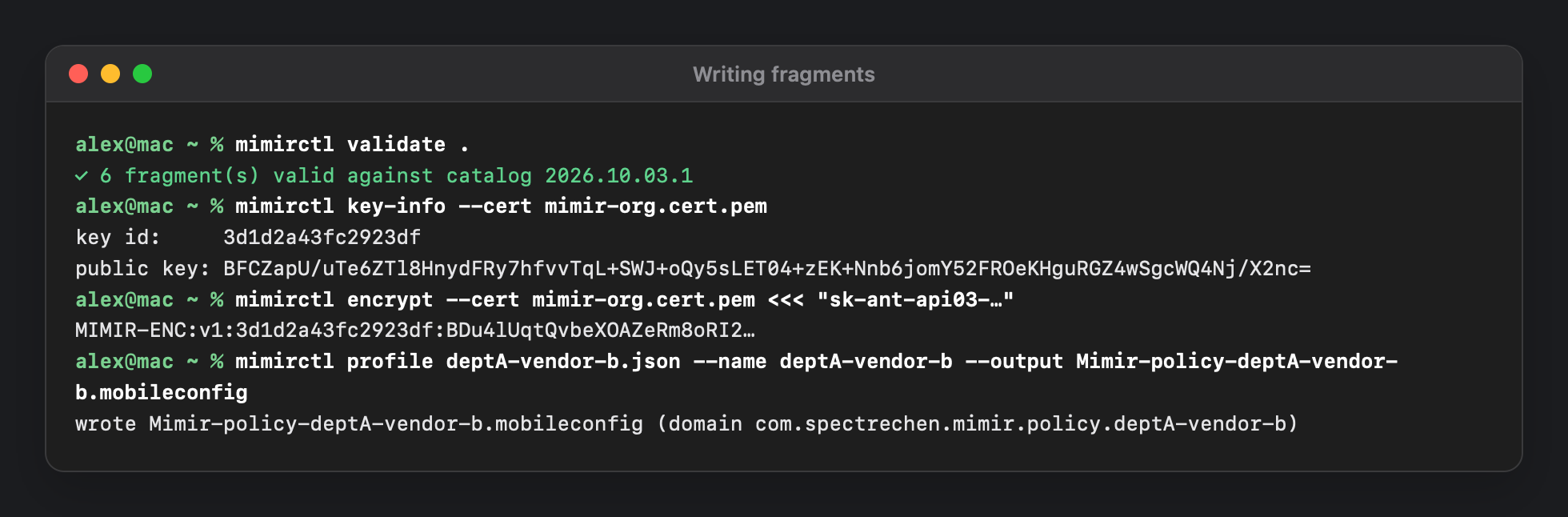
Each team's policy is its own configuration profile in its own preference domain (com.spectrechen.mimir.policy.<name>), scoped by MDM like any other profile. Mimir merges all the fragments that land on a Mac.
⚖️
Strictest Rule Wins
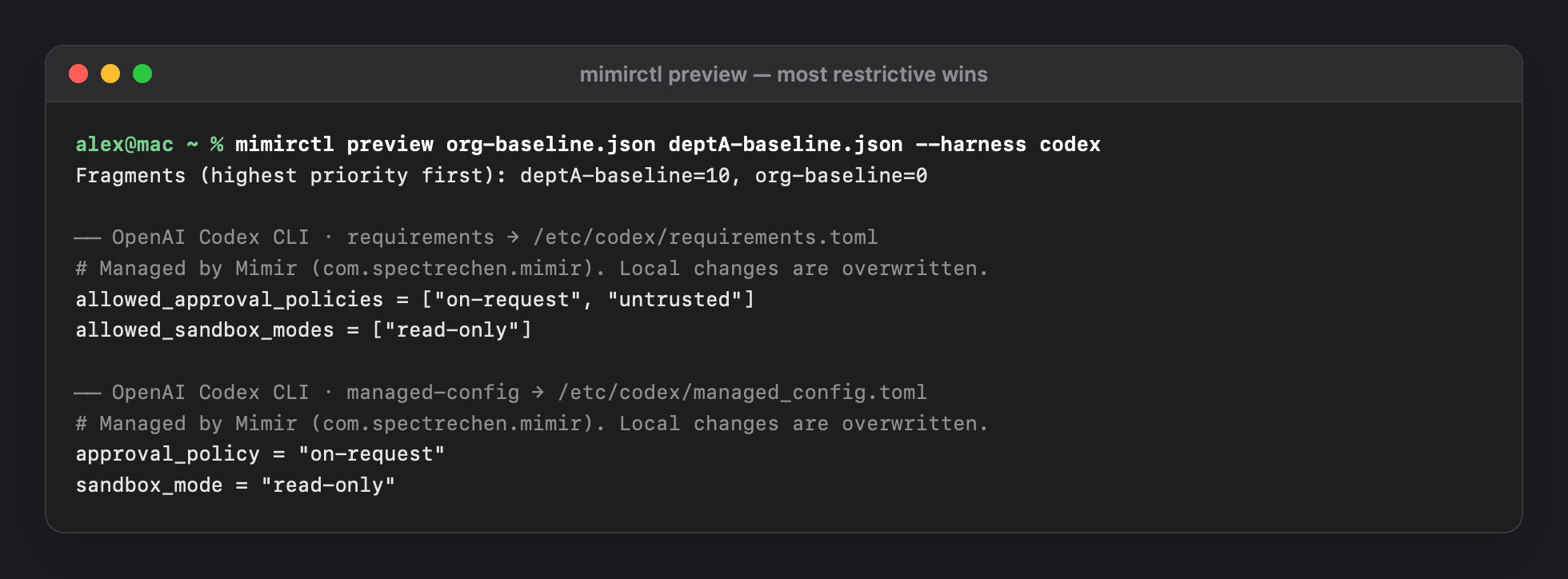
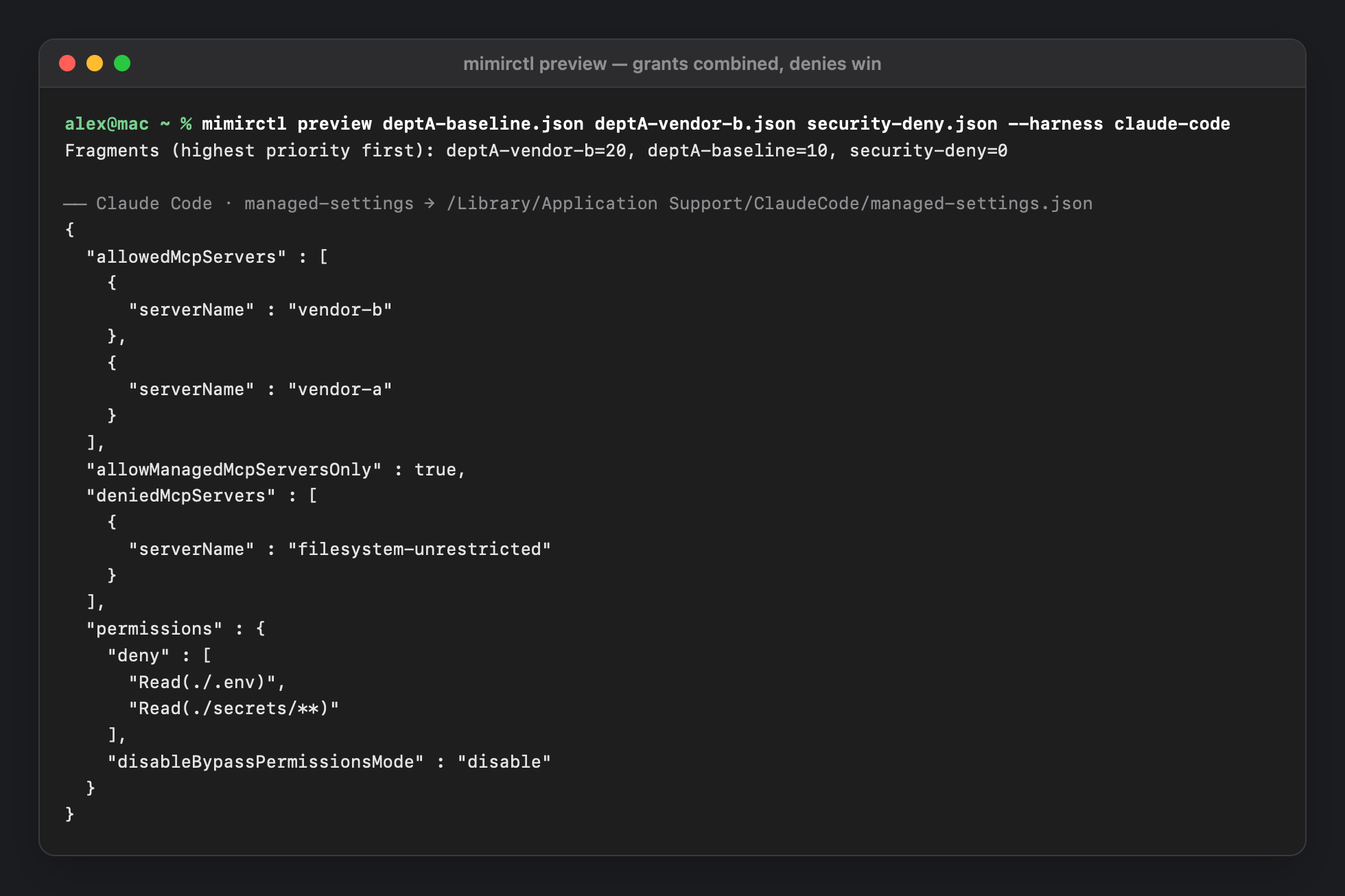
Allowlists intersect, locks stay on if any fragment sets them, and the more restrictive of two values wins — whatever the priority. Grants are unioned, denies remove entries after the merge. A department can narrow the company baseline but not widen it.
🛡️
Enforced, Not Suggested
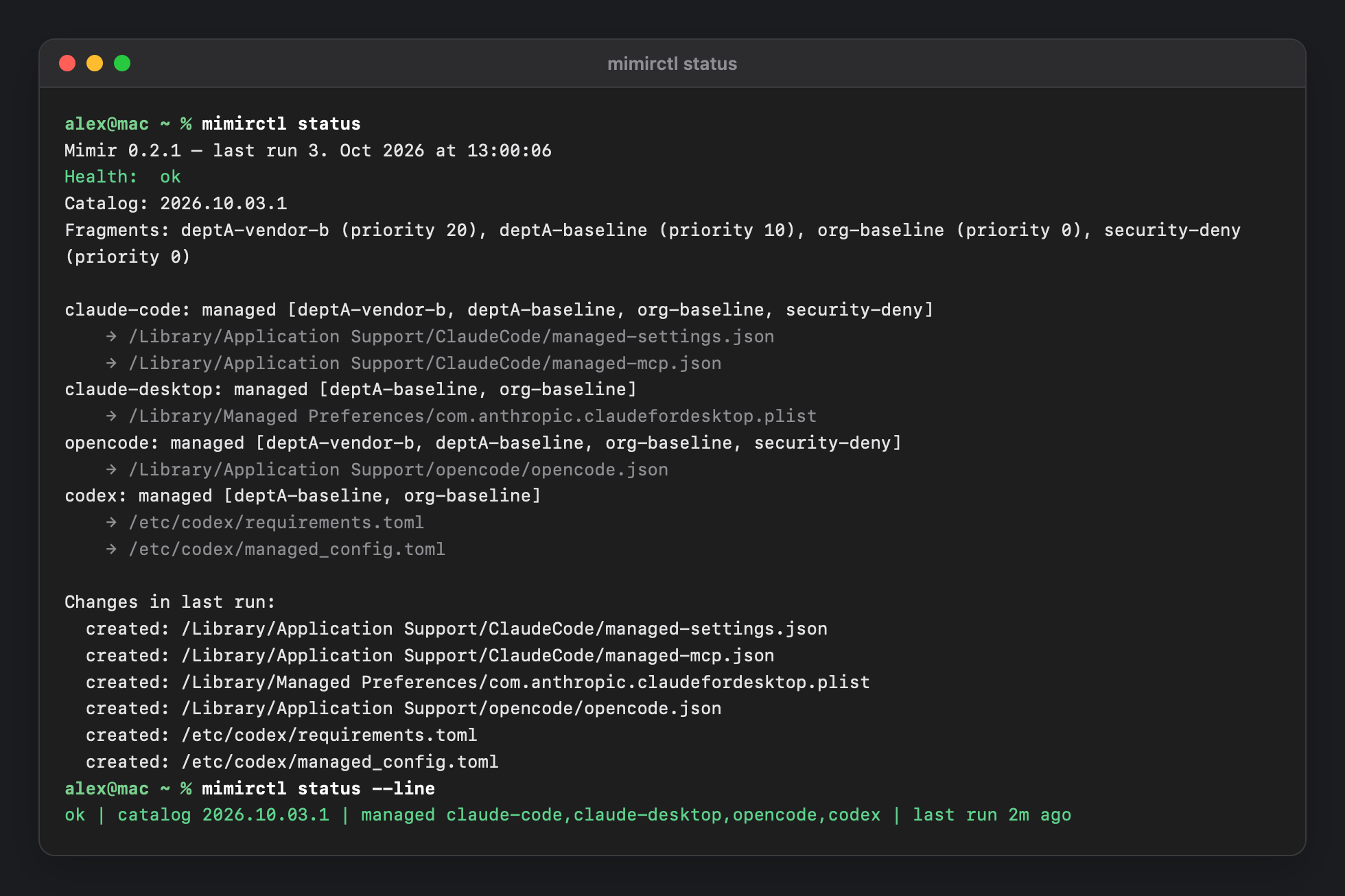
A root LaunchDaemon owns the vendor files. It re-applies on a timer, when profiles change, and about 2 seconds after someone edits or deletes a file. The first takeover backs the existing file up, and uninstalling restores it.
🗂️
Signed Vendor Catalog
Where each tool reads its policy, and how each key merges, lives in an Ed25519-signed catalog that updates without a new app. A path allowlist compiled into the binary means even a signed catalog can't make the root daemon write somewhere new.
🔐
Encrypted Secrets
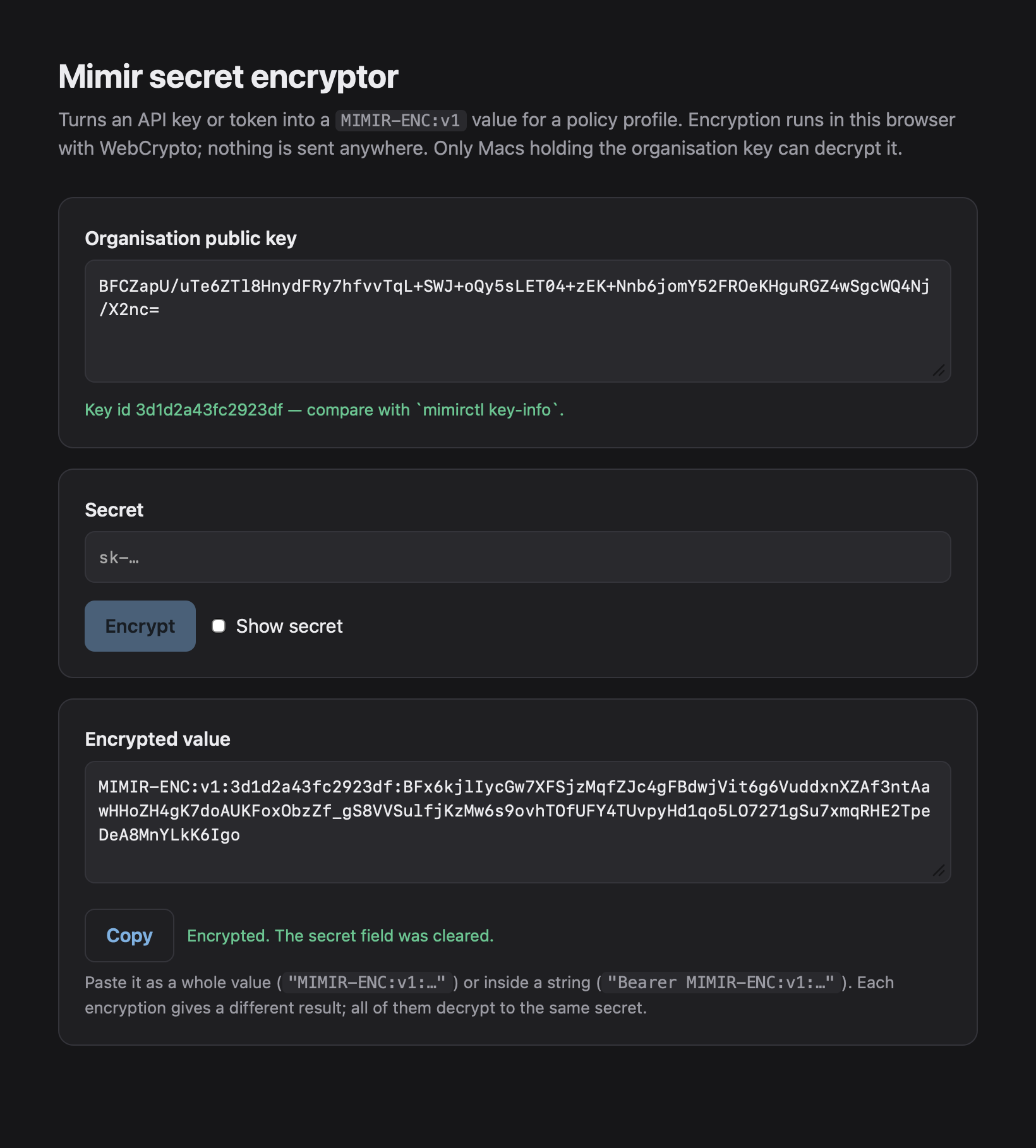
MIMIR-ENC envelopes (P-256 ECDH + AES-GCM) keep tokens and auth headers out of profiles, MDM exports and screenshots. The key sits in the System keychain, and the plaintext only appears in the vendor file. The user can read that file, so this protects the pipeline, not the endpoint.
🔍
Shadow-AI Discovery
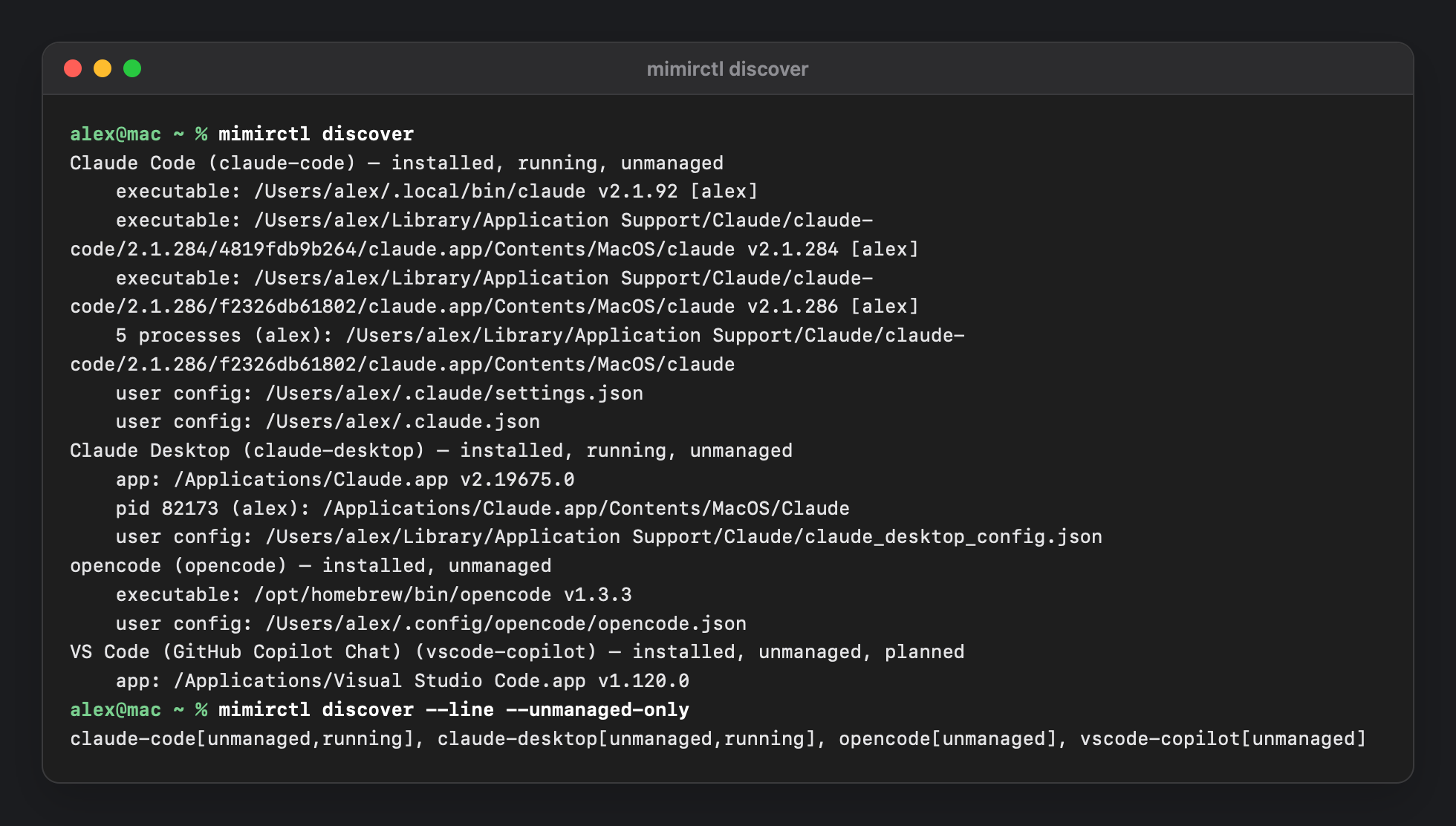
Finds which of 18 known agent tools are installed or running — managed or not — without reading their configs or ever executing them. Feed the result to Jamf or Intune as extension attributes.
🧪
Preview Before You Push
mimirctl preview shows the exact files a combination of fragments produces; simulate runs the whole pass into a folder; DryRun reports without writing. No Mac needed.
🧊
Fail-Safe
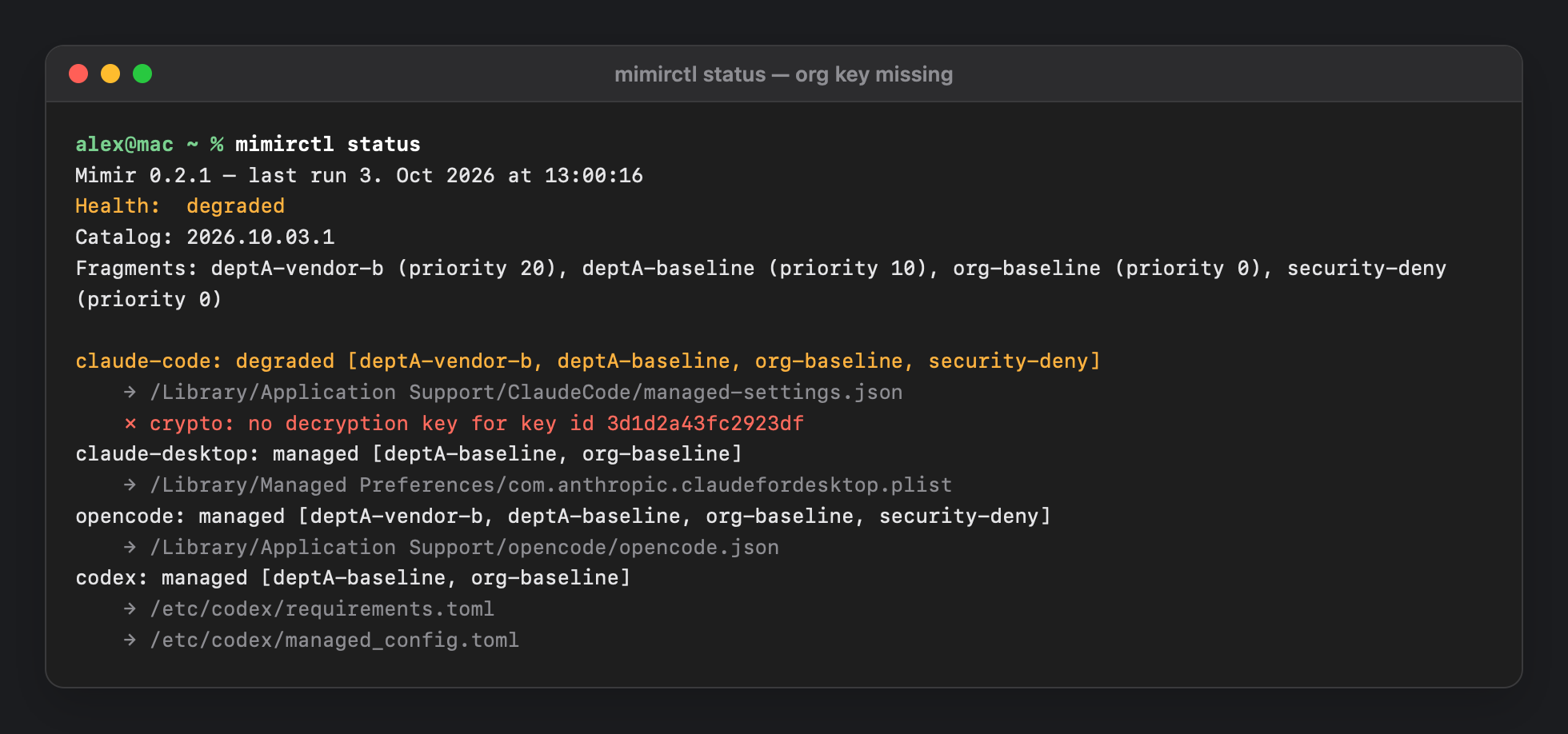
A fragment Mimir can't read freezes the last applied configuration instead of dropping a deny. A secret that can't be decrypted holds just that tool. Health is reported as ok, degraded or error.
🧰
mimirctl
Status, discovery, preview, validate, simulate, encrypt, key-info, profile and schema generation, and catalog signing — a signed command-line tool installed at /usr/local/bin/mimirctl, plus an offline encrypt.html.
📊
Fleet Reporting
Jamf extension attributes and Intune custom attributes report health, catalog version and unmanaged tools; status.json never contains secrets.