🗄️
Broad Coverage
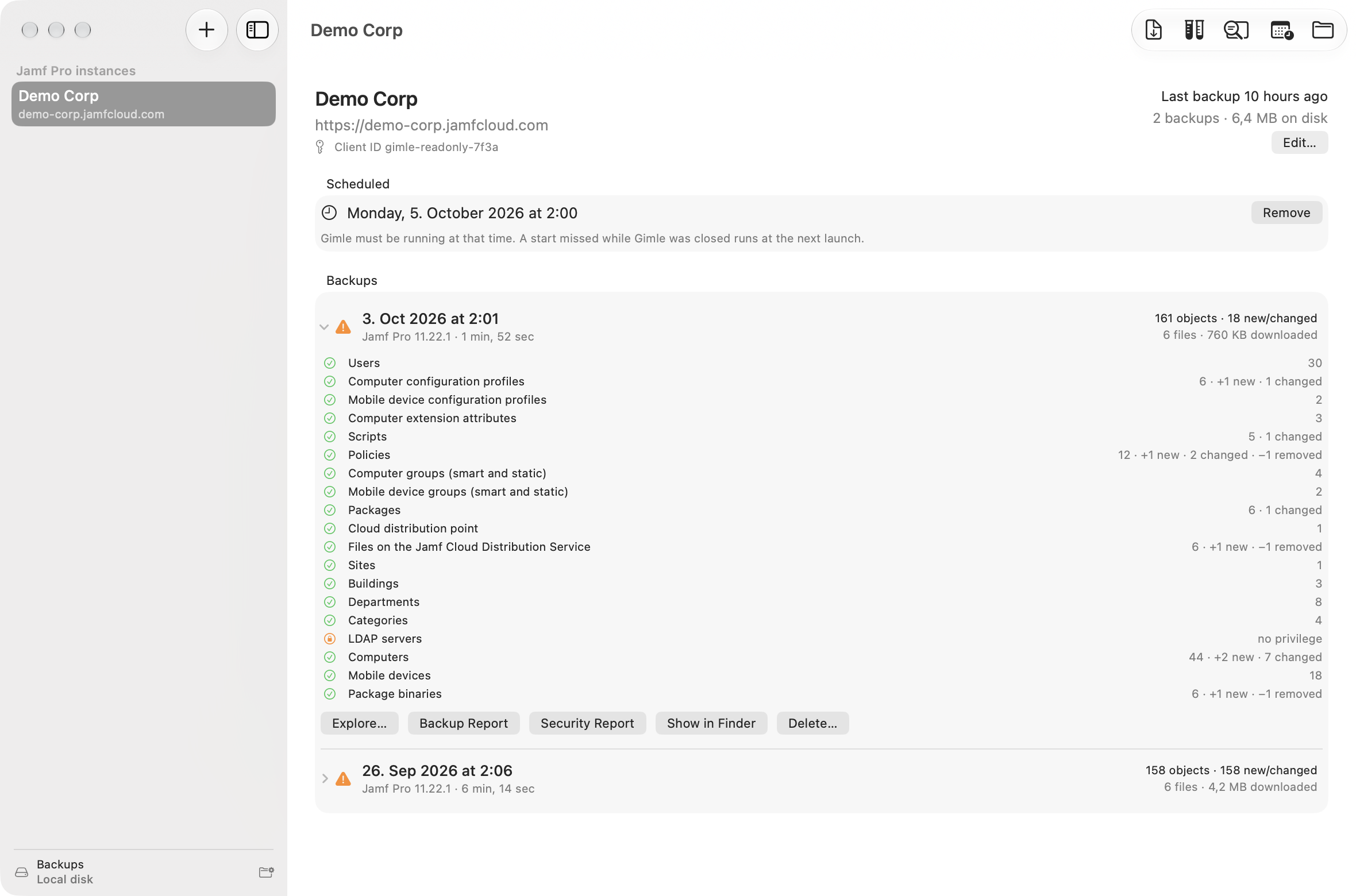
Computers, mobile devices, users, profiles, EAs, scripts, policies, groups, packages, distribution points, PreStages, apps, patch management, LDAP/SSO and about 60 settings areas in total.
🧬
Deduplicated Snapshots
Every backup is a full snapshot, but unchanged objects and files are stored only once. Unchanged devices and package files aren't even requested again.
🔒
Encrypted Backups
With EncryptBackups (MDM only), API objects, section indexes, the journal and the PDF reports are sealed with AES-256-GCM under a data key wrapped for your organisation key. Package binaries and the backup summary stay readable so lists and retention keep working. Lose every copy of the key and the backups are gone.
🗜️
Packs & Staging
Each backup writes its new objects as one pack file instead of thousands of small ones, staged on the Mac and published in one step — friendlier to OneDrive, SharePoint and network shares. Every Mac using the folder needs Gimle 0.3 or later.
📦
Package Binaries
Downloads package files from the Jamf Cloud Distribution Service, unauthenticated HTTP(S) distribution points, or a locally mounted file share — resumable, with hash verification.
⏯️
Resumable & Gentle
Rate-limited requests with backoff on 429/503, pause and resume, and interrupted backups continue where they stopped instead of starting over.
🏢
Multiple Instances
Back up several Jamf Pro servers, schedule starts, and keep the newest N backups or X days, with garbage collection of unreferenced data. Several Macs can share one backup folder (OneDrive, SharePoint, a network share) — a best-effort lock keeps two of them from backing up the same server at once.
🔐
Encrypted Secrets via MDM
Push instances by configuration profile with GIMLE-ENC:v1 client secrets (P-256 ECDH + AES-GCM), decrypted only when a token is requested.
📄
Documented Format
A stable, versioned on-disk format that other tools can read — section IDs never get renamed, and breaking changes bump formatVersion (2 adds packs, 3 is encrypted). Janus reads it offline.
🧰
gimlectl
A signed command-line helper, installed at /usr/local/bin/gimlectl, to encrypt secrets, list, verify and pack backups, create reports, and garbage-collect the store. --key opens encrypted backups without the key profile.
🔎
Backup Explorer
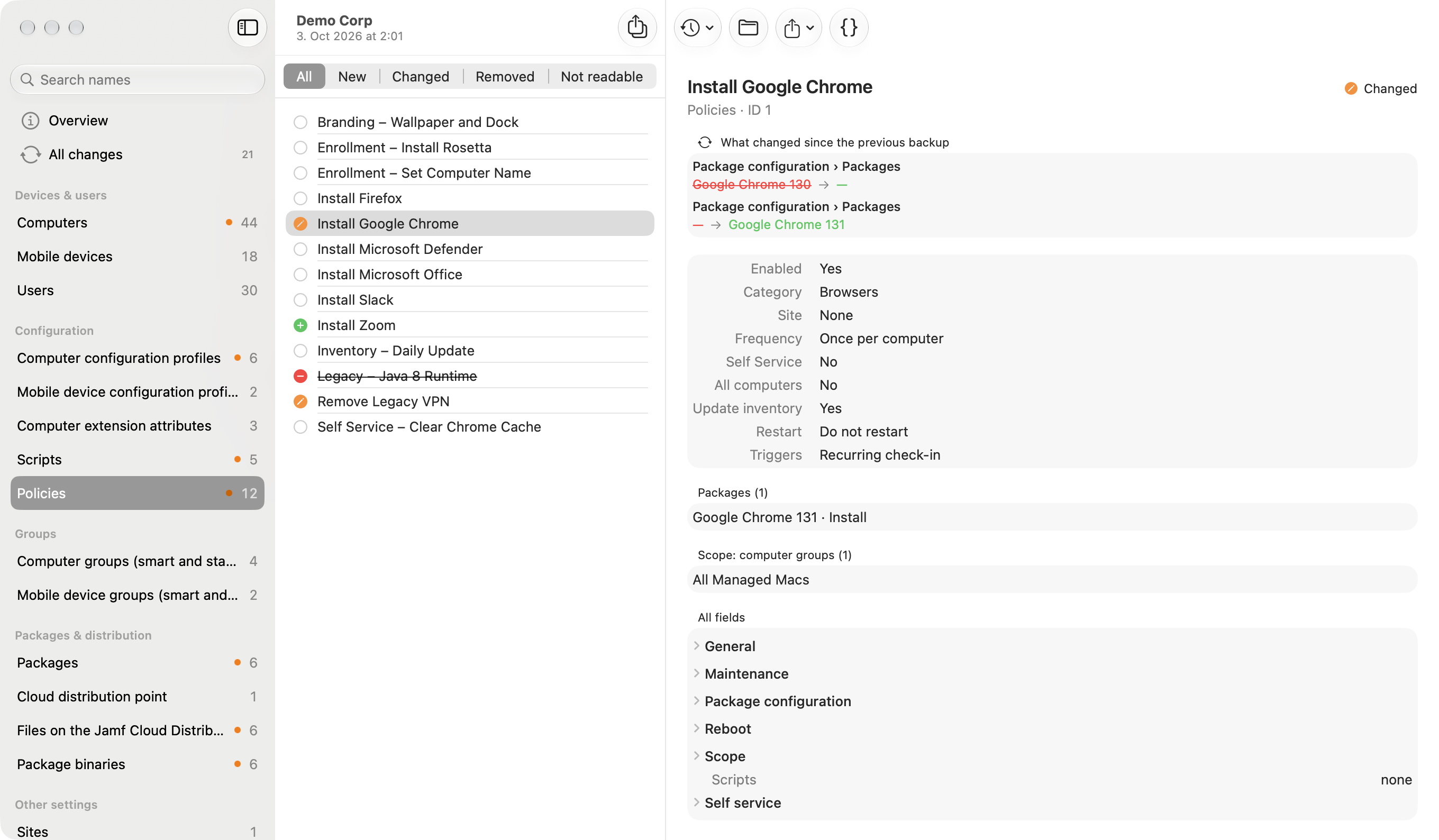
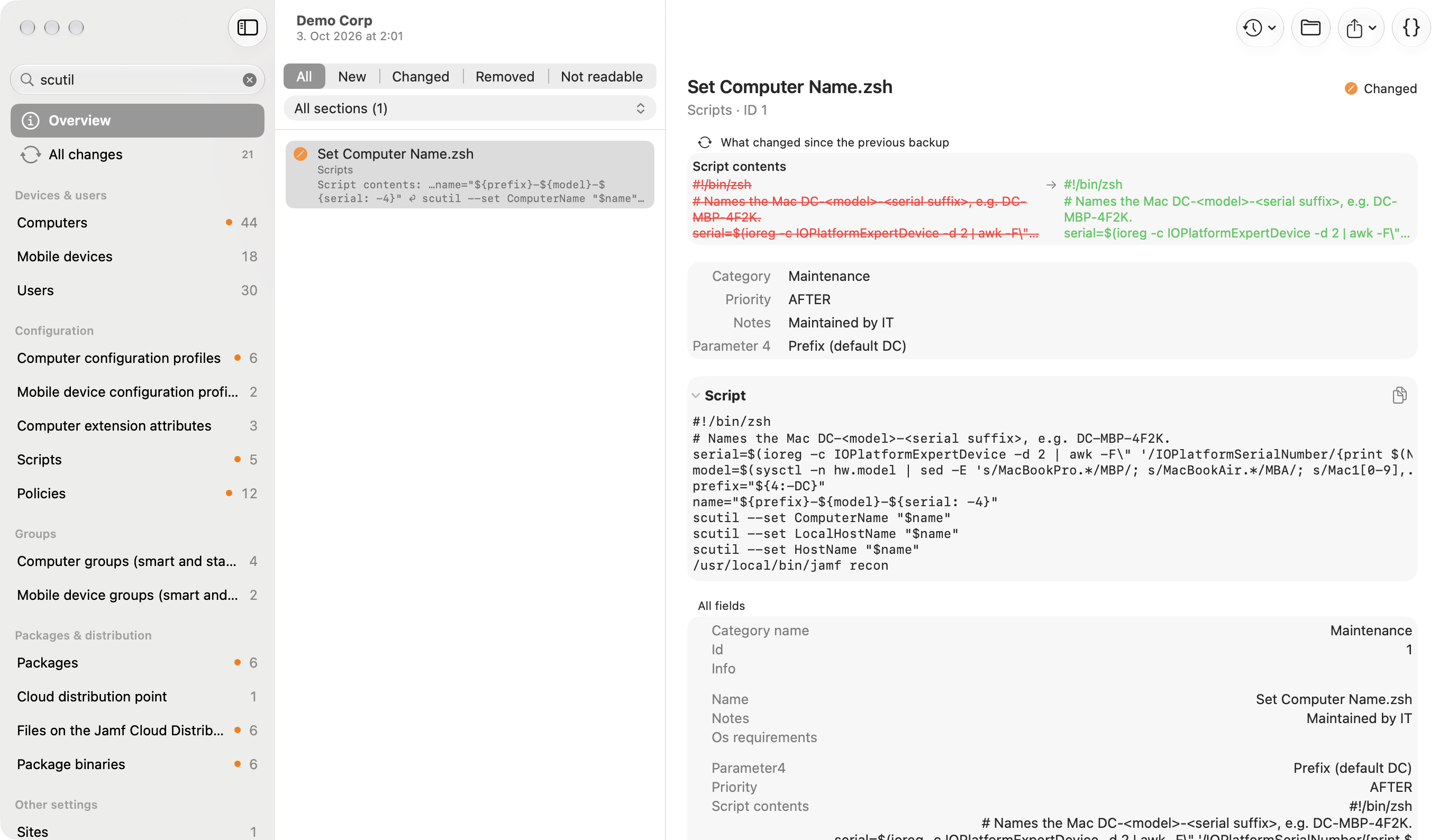
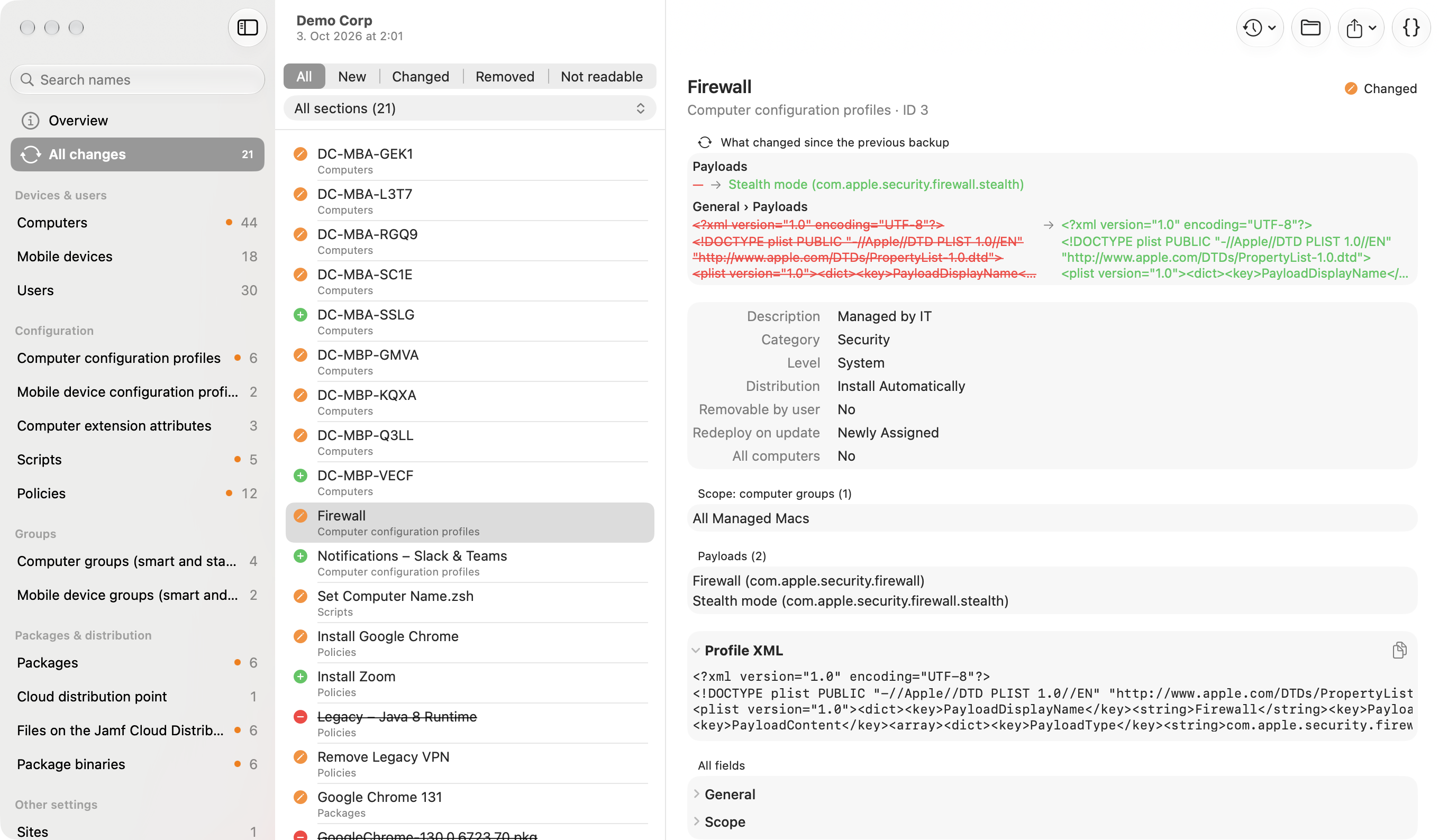
Open any backup in its own window: sections, objects, and readable key facts — a policy's triggers, frequency, packages, scripts and scope; a profile's payloads; a group's criteria and members. Search names or full contents across every section, filter to what's new, changed or removed, export profiles, scripts and package files, or view the raw JSON.
📑
Reports & Audit Log
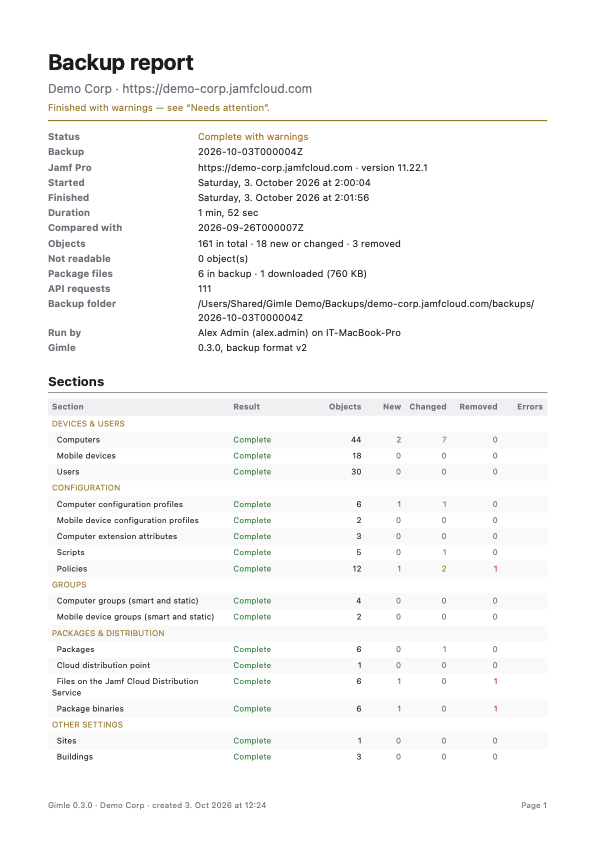
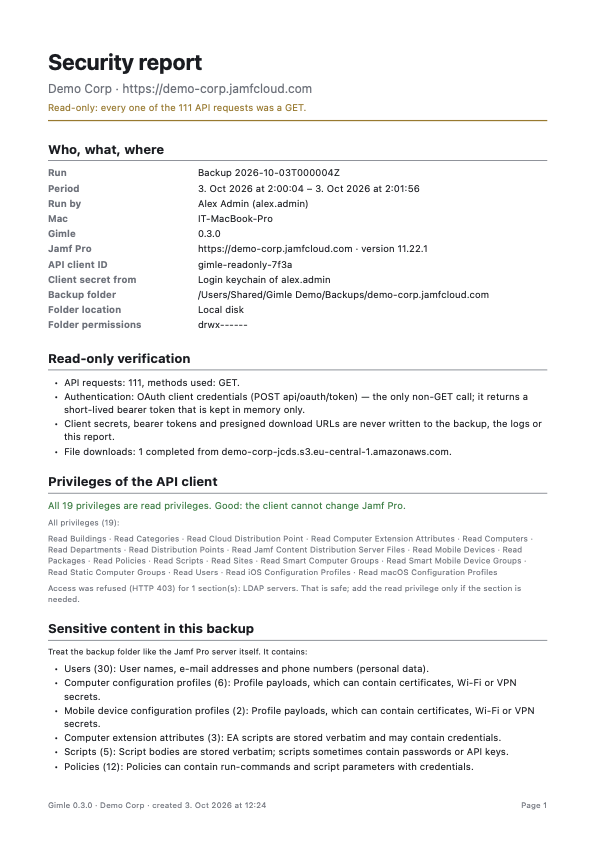
Every backup ends with a PDF backup report (what needs attention, what changed) and a security report (every request was a GET, the API client's privileges with write access flagged, sensitive content, folder permissions), built from a complete audit.jsonl action log.
🧪
Simulation
Check whether a backup would succeed and what it would change. A simulation reads Jamf Pro like a backup but writes nothing to the backup folder and downloads no files, so it's much lighter.
🛂
Backup Policy by MDM
Set AllowBackups = false for view-only Macs that can explore backups and open reports but not back up, and MinimumHoursBetweenBackups so every Mac sharing a folder follows one frequency — enforced, also for Back Up Now, when MDM sets it.
👁️
Read-Only, No AI
Only GET requests, so a read-only API role is enough. No telemetry and no AI — Gimle only talks to your Jamf Pro servers.