🔌
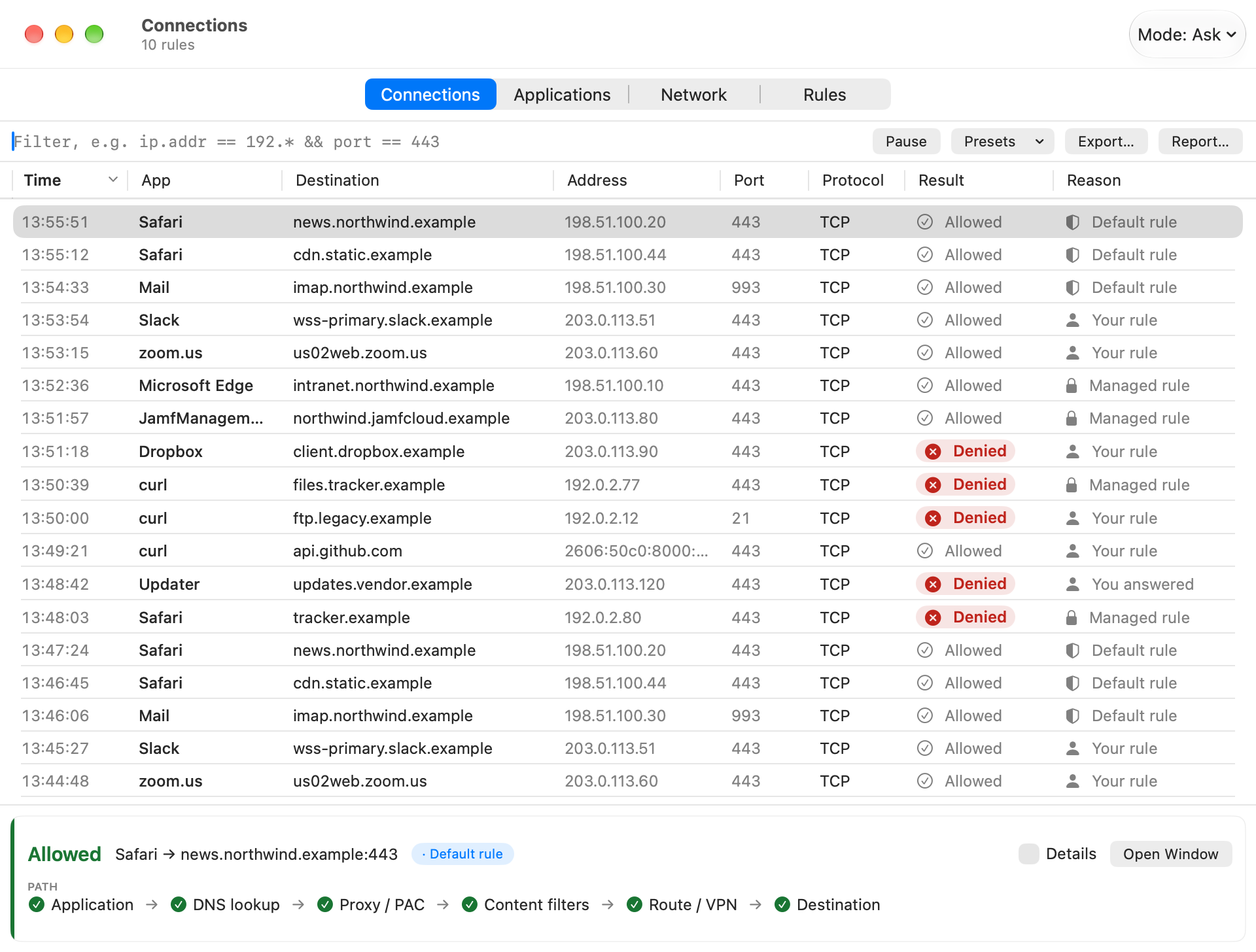
Every Connection
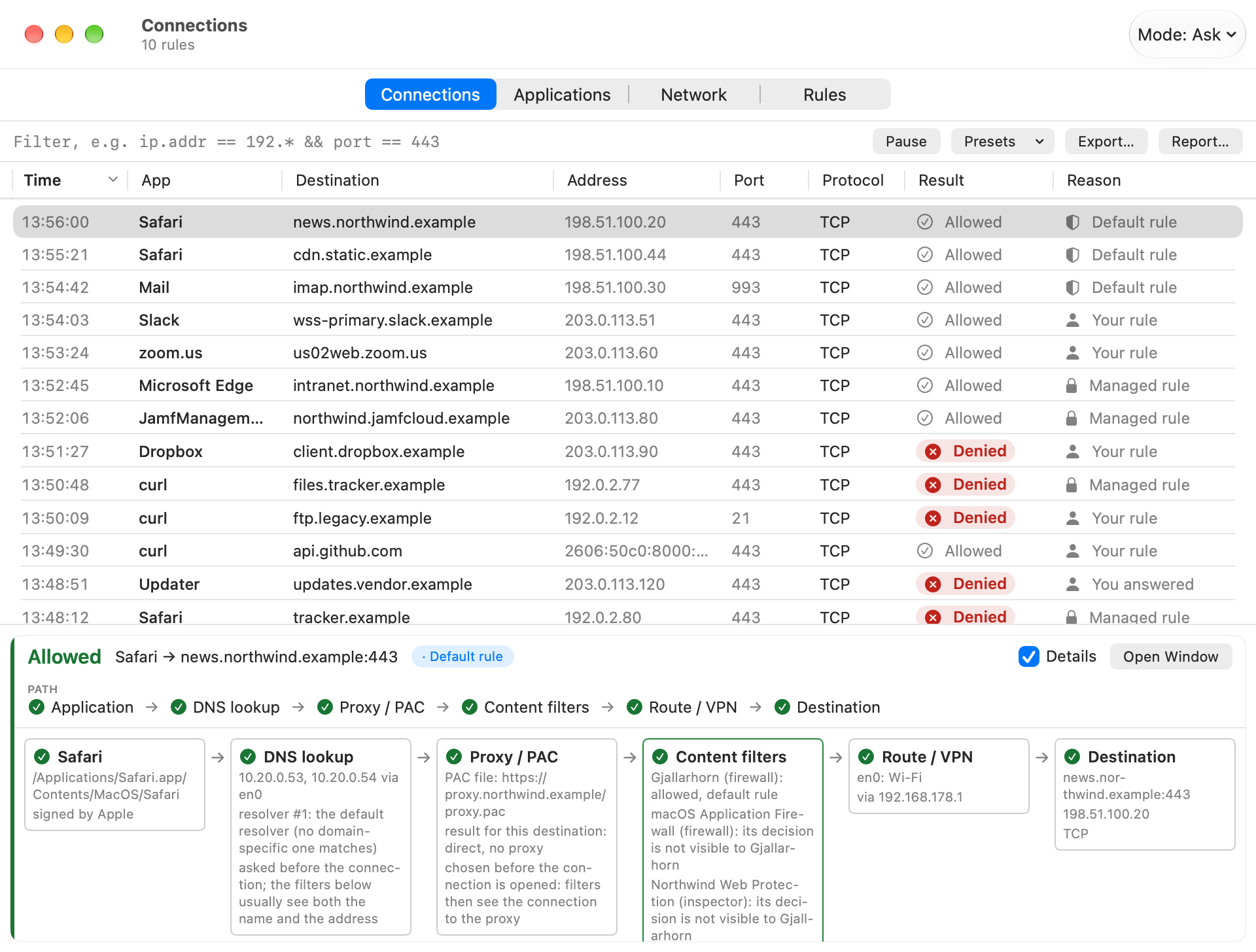
Each new connection with app, destination, port and decision. Wireshark-style filter expressions (ip.addr == 192.* && port == 443), a list that follows live or holds still while you read it, a flow pane per row, CSV and JSON export.
❓
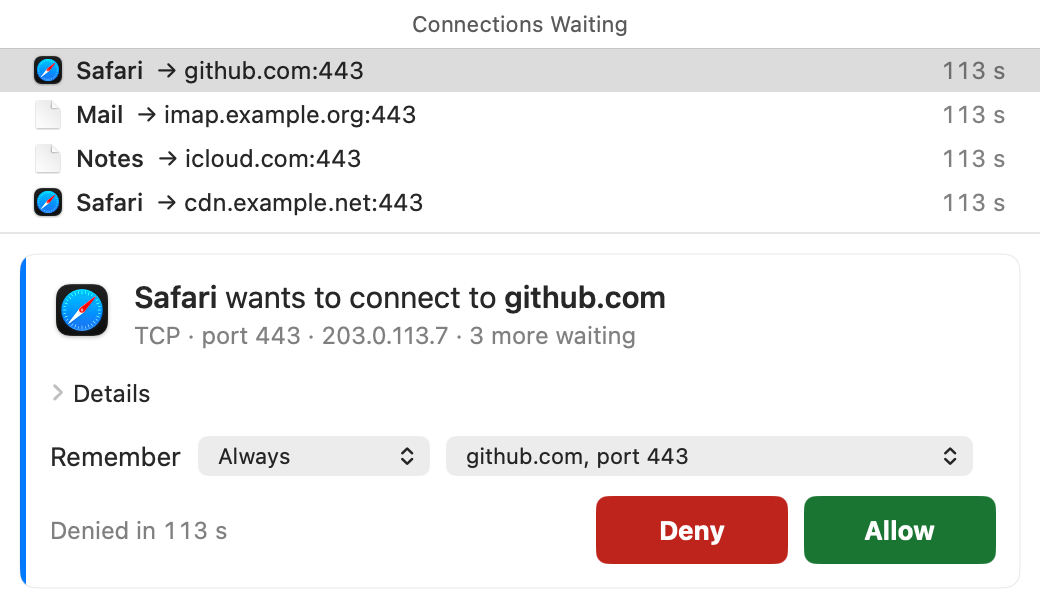
Ask Before It Connects
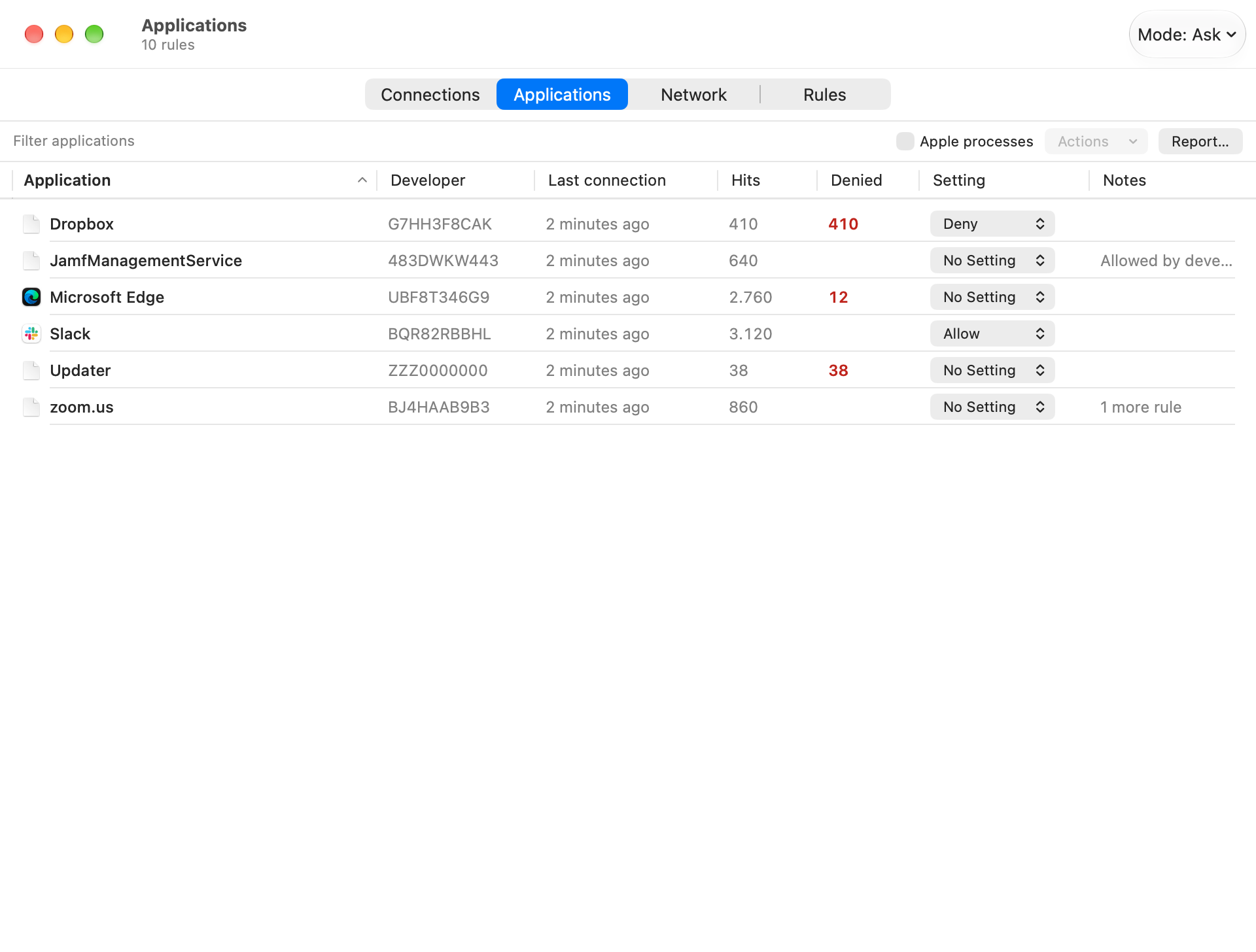
Modes: monitor only, ask, allow everything for a while, block everything, or block list (everything allowed except what a Deny rule matches, for "no IPv6", "no FTP", "no Telnet"). One panel for everything that is waiting.
📏
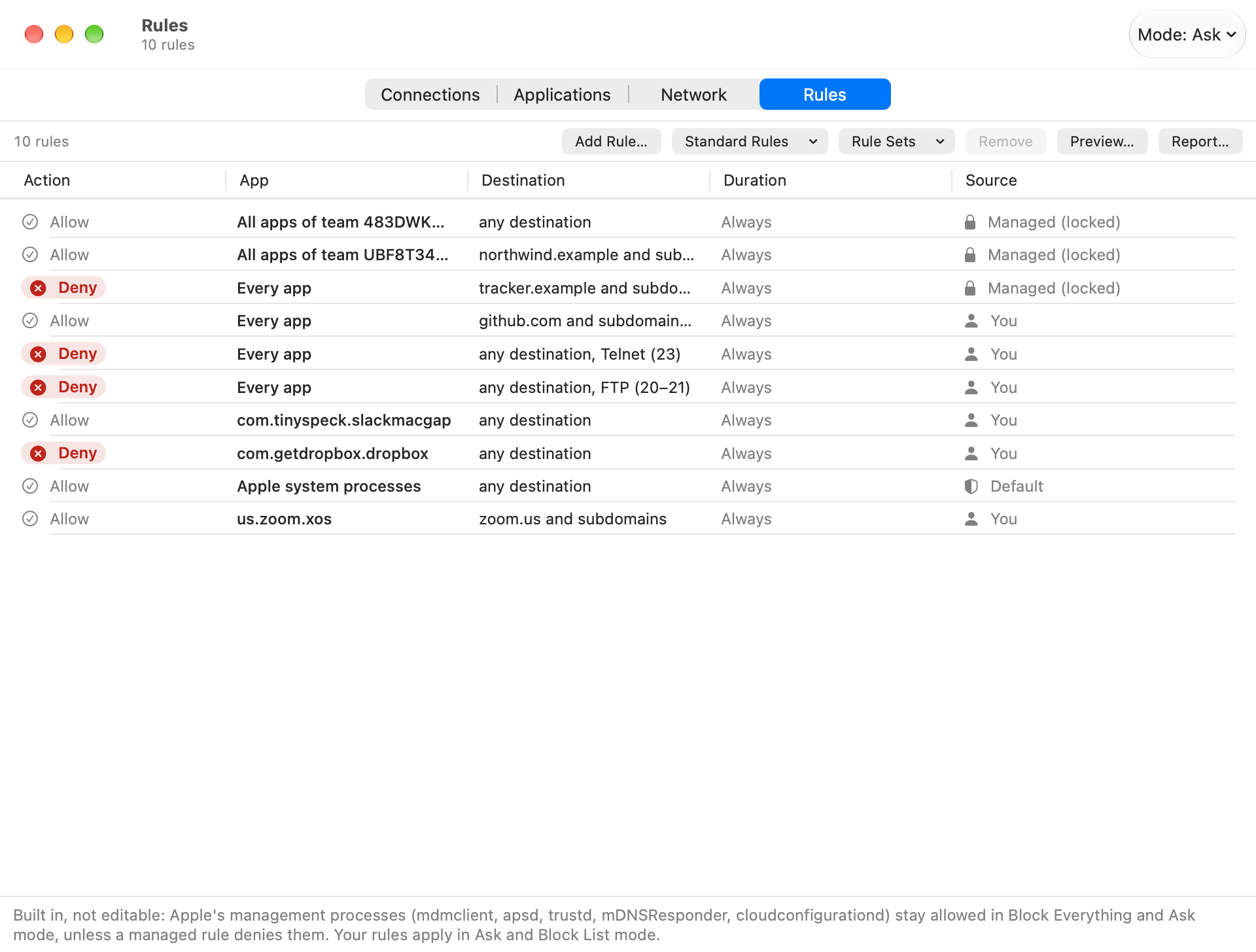
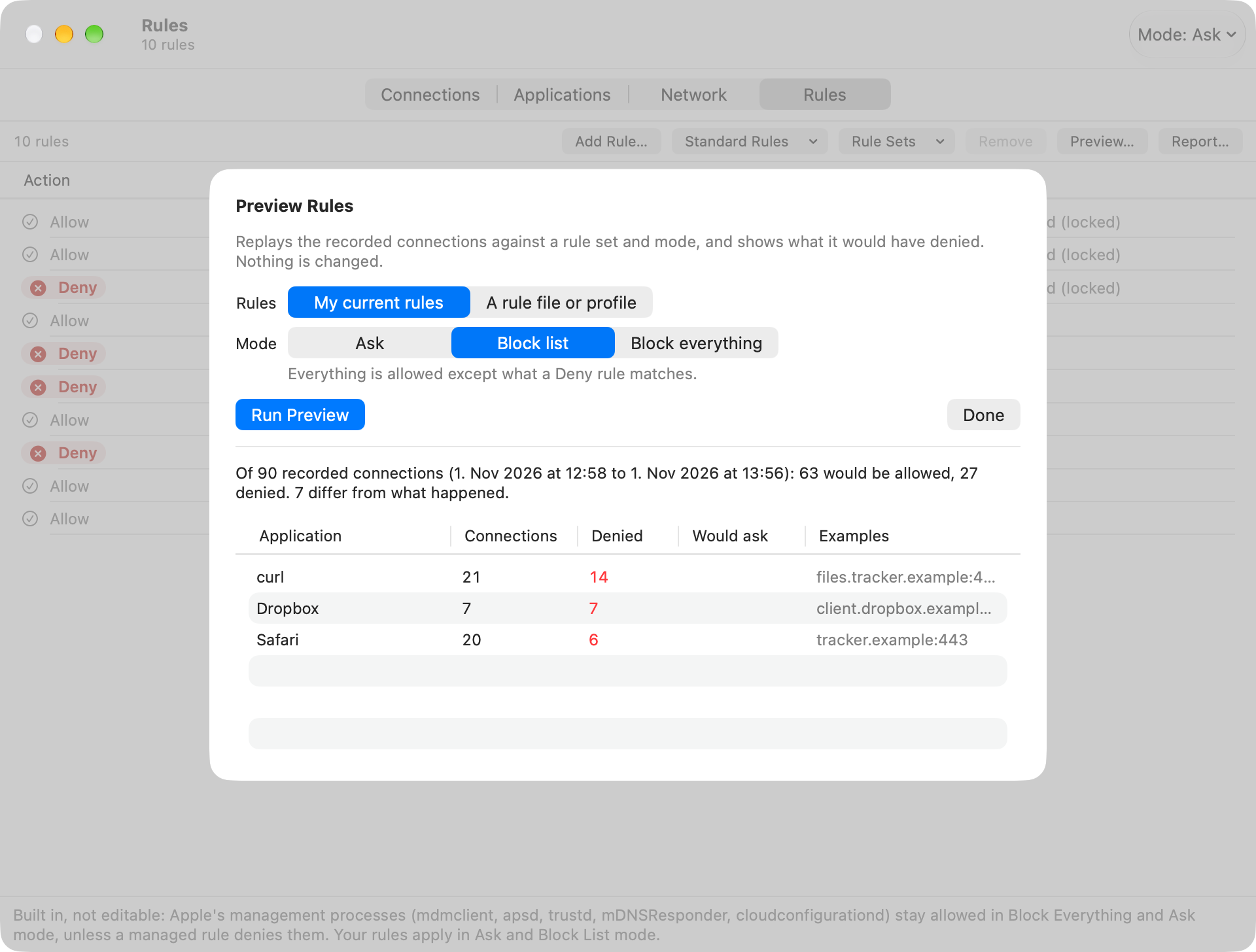
Rules With a Preview
Per app, developer or every app; per host, domain, address range, port or range, service, IP version and transport; time-limited. Import and export as CSV, JSON or a profile. A preview replays the recorded connections against a rule set before it is enforced.
🧭
The Path of a Connection
App, DNS, proxy and PAC, content filters, route or VPN, destination: where it fails, and which component wins. Gjallarhorn shows its own decision first; the order of the stages is not yet verified against several other filters.
🌐
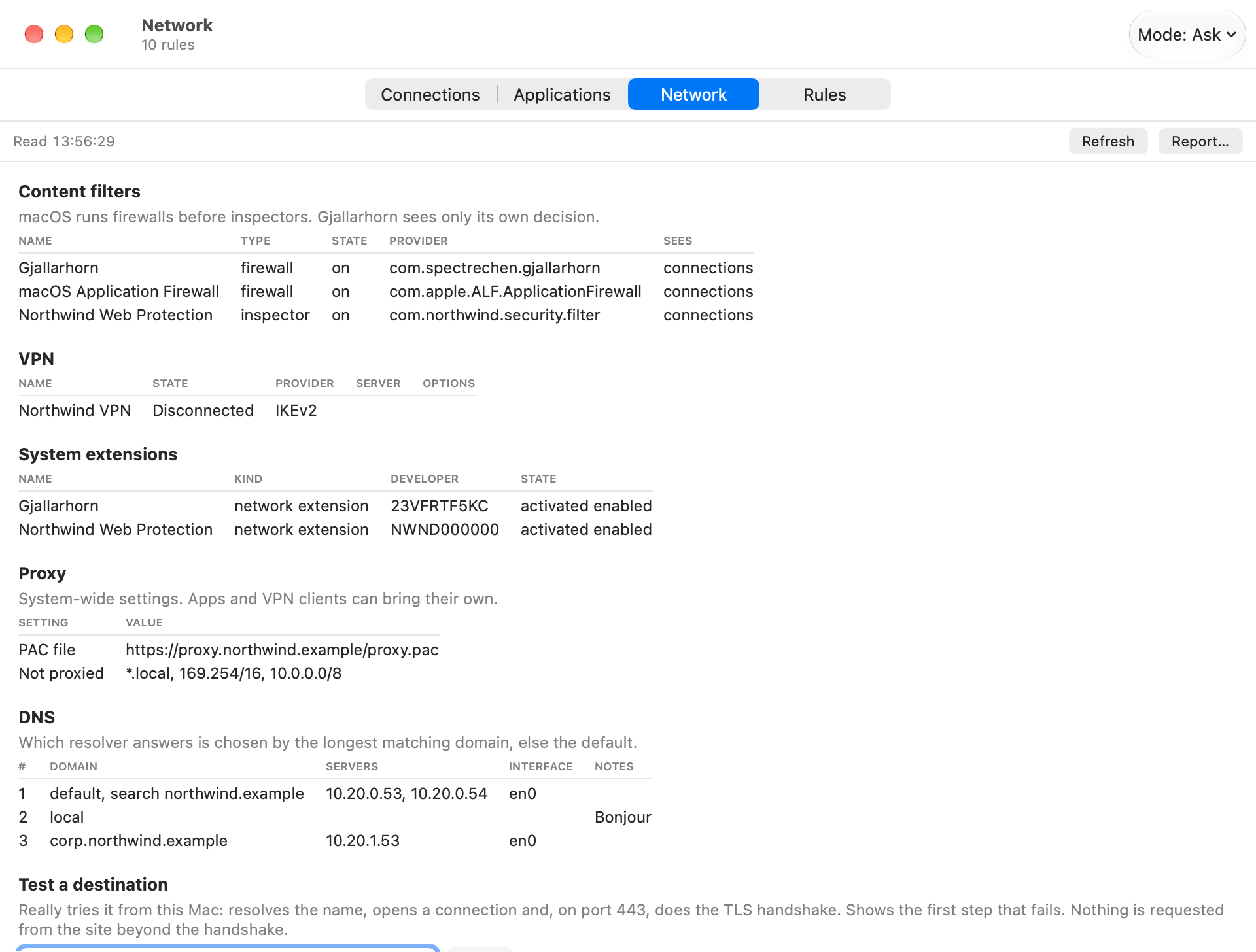
Network Overview
Content filters, VPNs, system extensions, proxy and PAC, DNS, a TLS-inspection check, and Test a destination: resolve, connect, TLS handshake, and what the filter did with it.
⏺️
Recording
Administrators can record the bytes of one app's next connections (time and size limited) and save them as a file Wireshark opens. The payload is real, the packet headers are synthetic, TLS stays encrypted.
🔒
Managed Devices
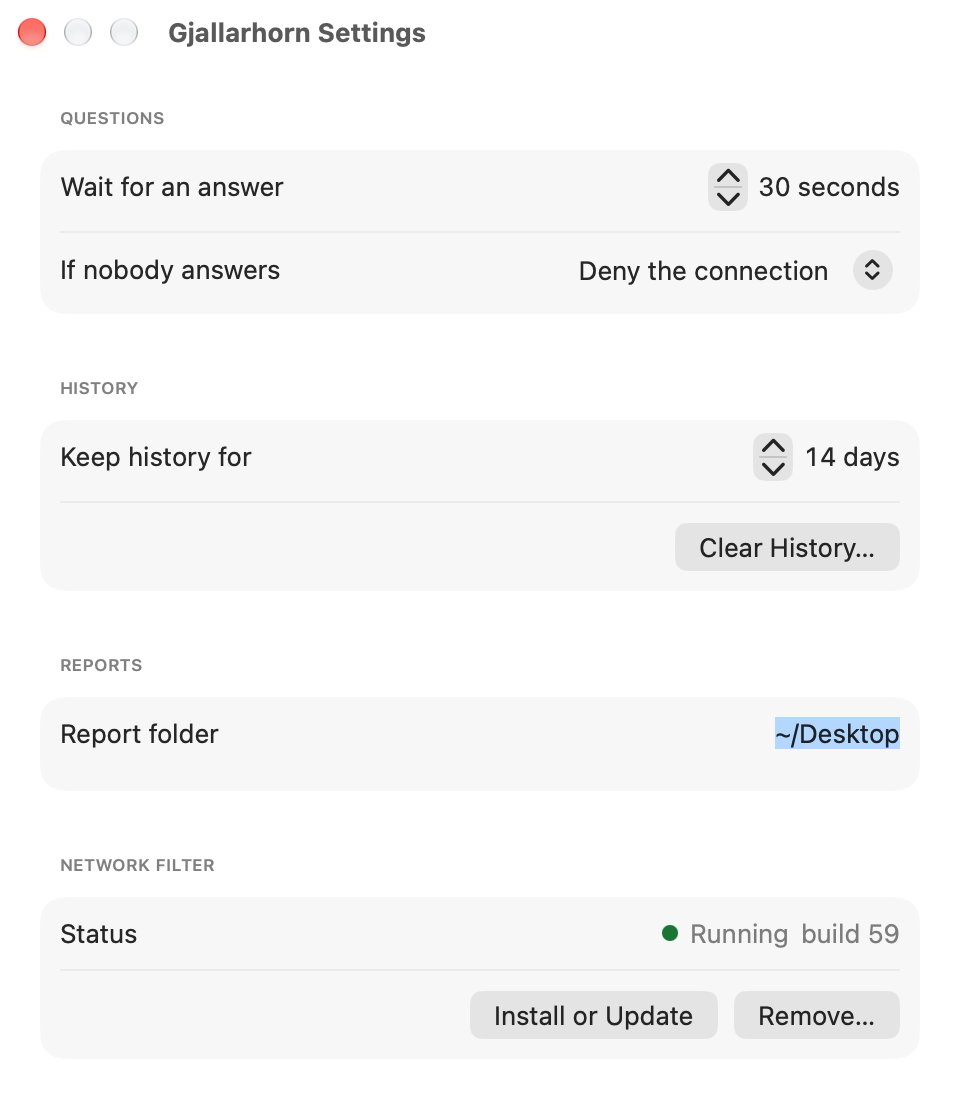
A configuration profile can force rules, mode and visibility. The app can hide itself completely, and keys, prompts, retention and block messages are configurable. Connection history is visible to administrators only.
🛟
Stays Manageable
Five Apple management processes stay reachable in block mode (identified by Apple's signature, not by name), so a Mac in block mode can still receive its next profile. A helpdesk unlock with signed one-time codes is the last resort.
📤
Turns What It Sees Into Configuration
Rule sets export as CSV, JSON or a profile for Jamf Pro or Intune, with a Jamf Pro schema, an example allowlist profile, a deployment profile and a status extension attribute.
📑
PDF Report
A report for other teams from Connections or Network. Dense and plain, in light and dark mode.
⌨️
Command Line
--cli with info, status, rules, history, mode, policy, add-rule, path, test, tls, simulate, report, capture and unlock commands, for extension attributes and remote sessions.
🕵️
No Telemetry, No AI
Rules, history and recordings stay on the Mac in root-only files. This version has no AI and no accounts.