🔍
Everything That Runs
Scripts, script-type extension attributes, policy Files & Processes commands, script parameters $4–$11 and local accounts, computer and mobile device configuration profiles, and pre/postinstall scripts from packages in Gimle backups.
🧠
AI First, Rules Second
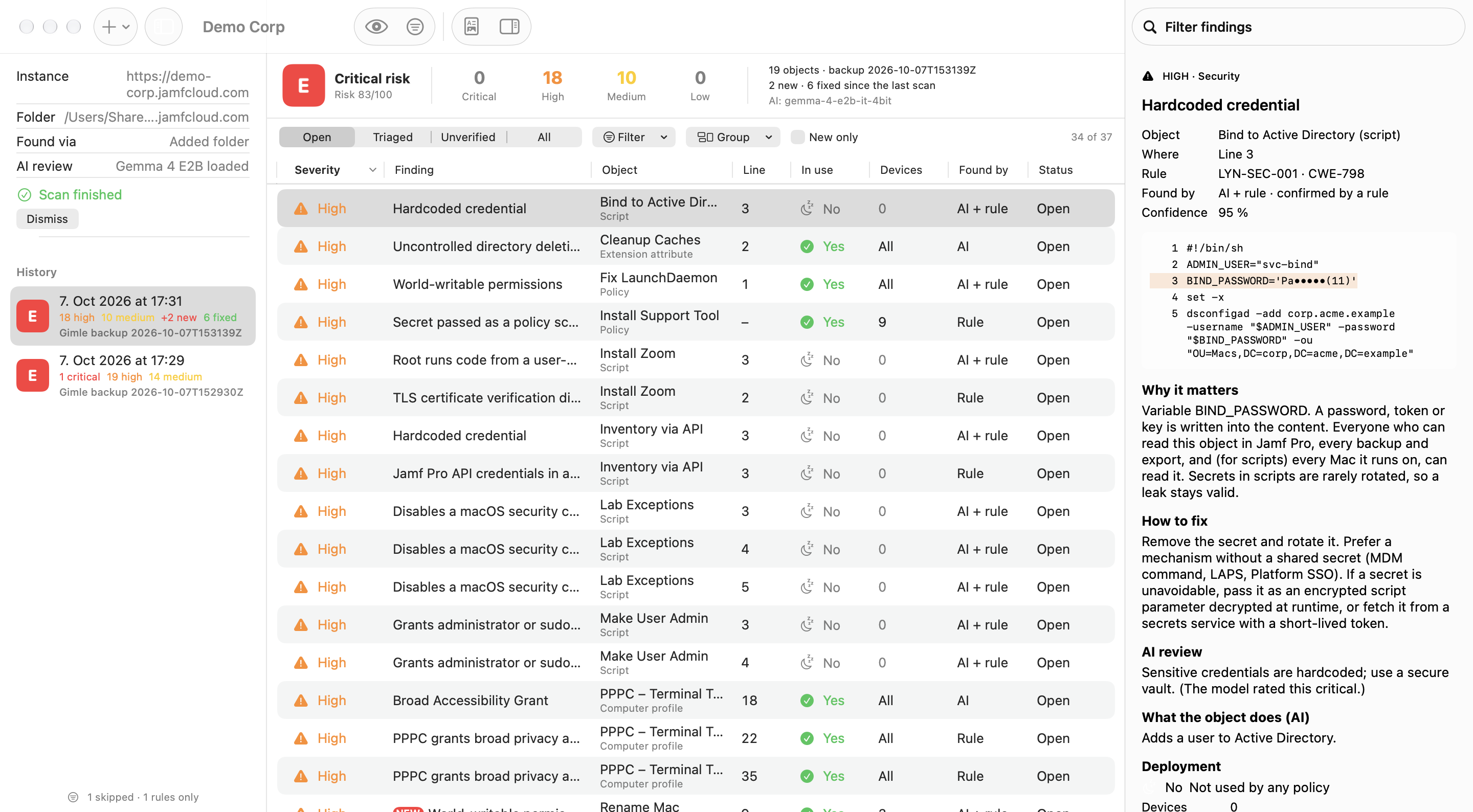
The bundled Gemma 4 model reads each object like a reviewer. Then 39 rules (30 security, 6 hygiene, 3 deprecation) run. A finding both agree on is confirmed. An AI finding that quotes code which doesn't exist is marked unverified and doesn't count. The AI alone never rates a finding critical.
👁️
Read-Only
Live scans only send GET requests, through Gimle's backup engine, so a read-only API role is enough. Or skip the API entirely and scan a Gimle backup, encrypted ones included.
🔒
Secrets Masked
Passwords, tokens and keys found in your content are masked everywhere Lynceus stores or shows them: findings, history, logs and every report. The tests check the reports for leaks.
📑
Three Reports
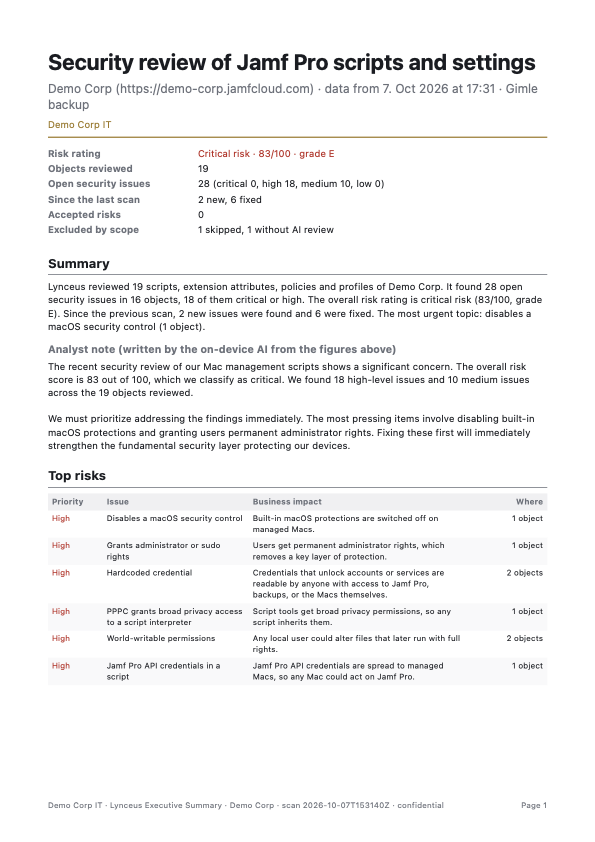
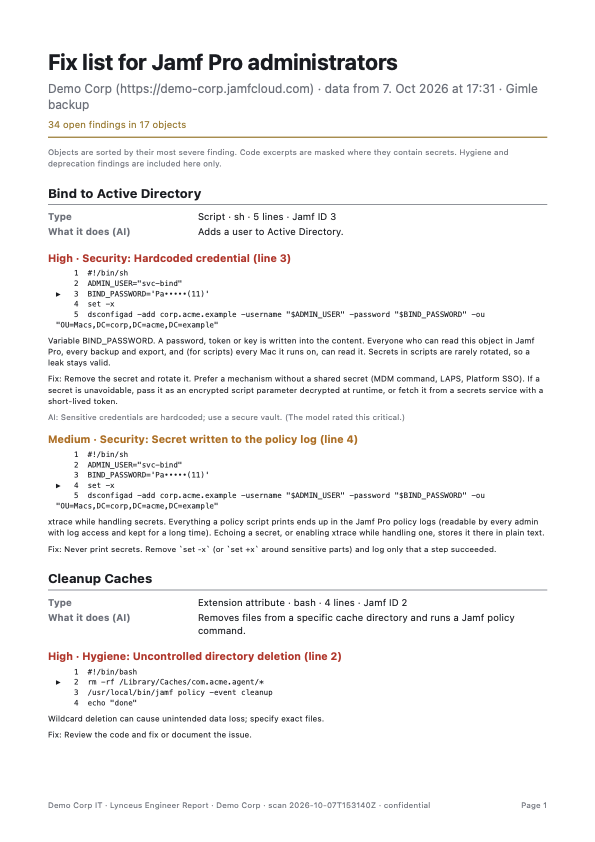
An executive summary (risk grade, top risks, trend), a security report (every finding with evidence, coverage, accepted risks, the rule set used) and a fix list for engineers, as PDFs, plus CSV and Markdown.
🔁
New and Fixed
Every scan is kept, so each run shows what's new and what's fixed. Unchanged objects aren't sent to the AI again. Accept a risk or mark a false positive with a reason; accepted risks reopen after 180 days by default.
📍
What's Actually Deployed
Per object: is it in use, which policies use it, and how many devices it reaches. First seen and last changed come from the Gimle backup history. Filter to what's in use and fix that first.
✅
Triage in Bulk
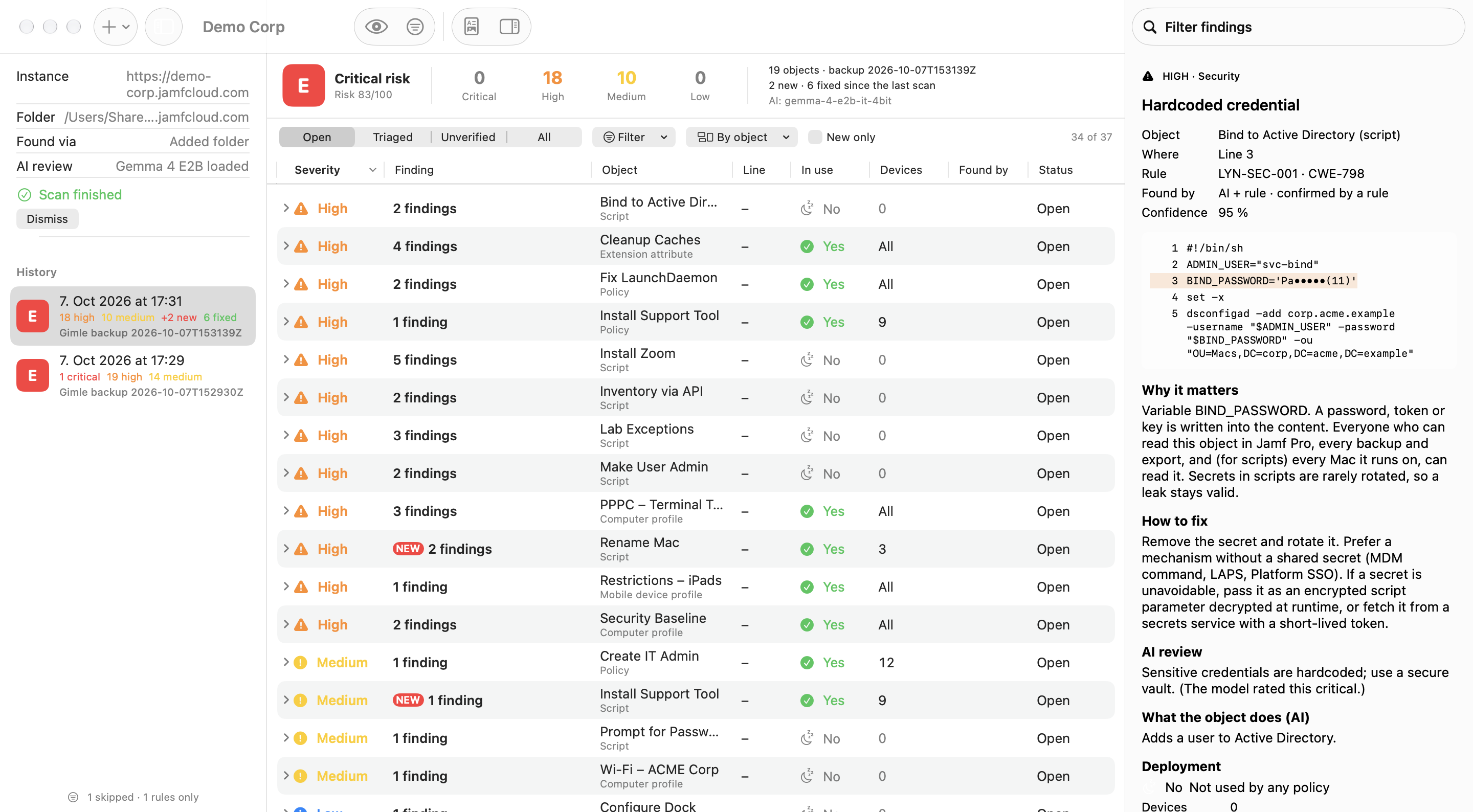
Group findings by object or by finding, select several with ⌘-click, ⇧-click or ⌘A, and accept, dismiss or reopen them in one step.
🎯
Scope Before a Scan
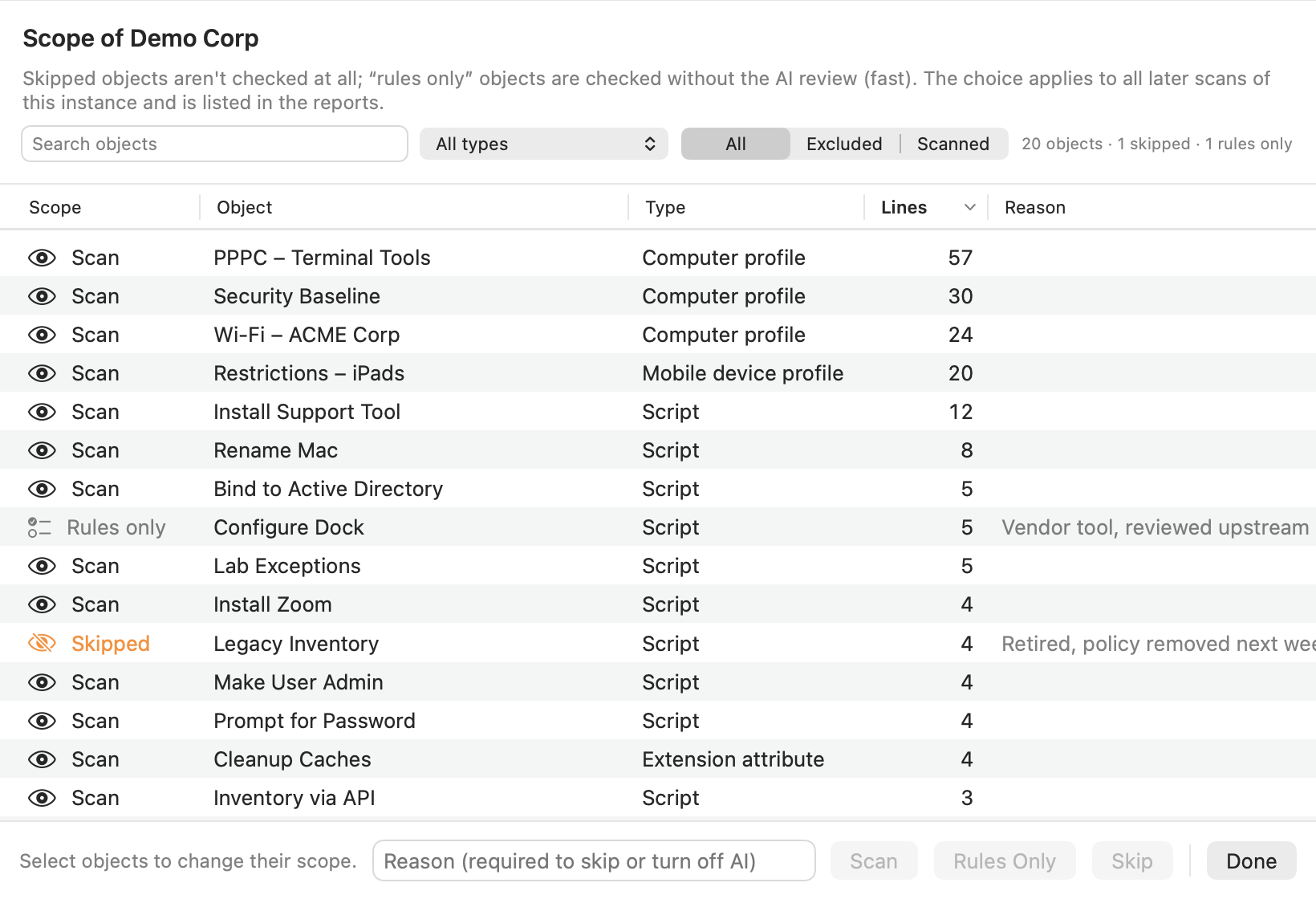
Skip an object or check it with rules only, each with a reason. The scope applies to every later scan, and the reports list what was left out. A skipped object never counts as fixed.
📐
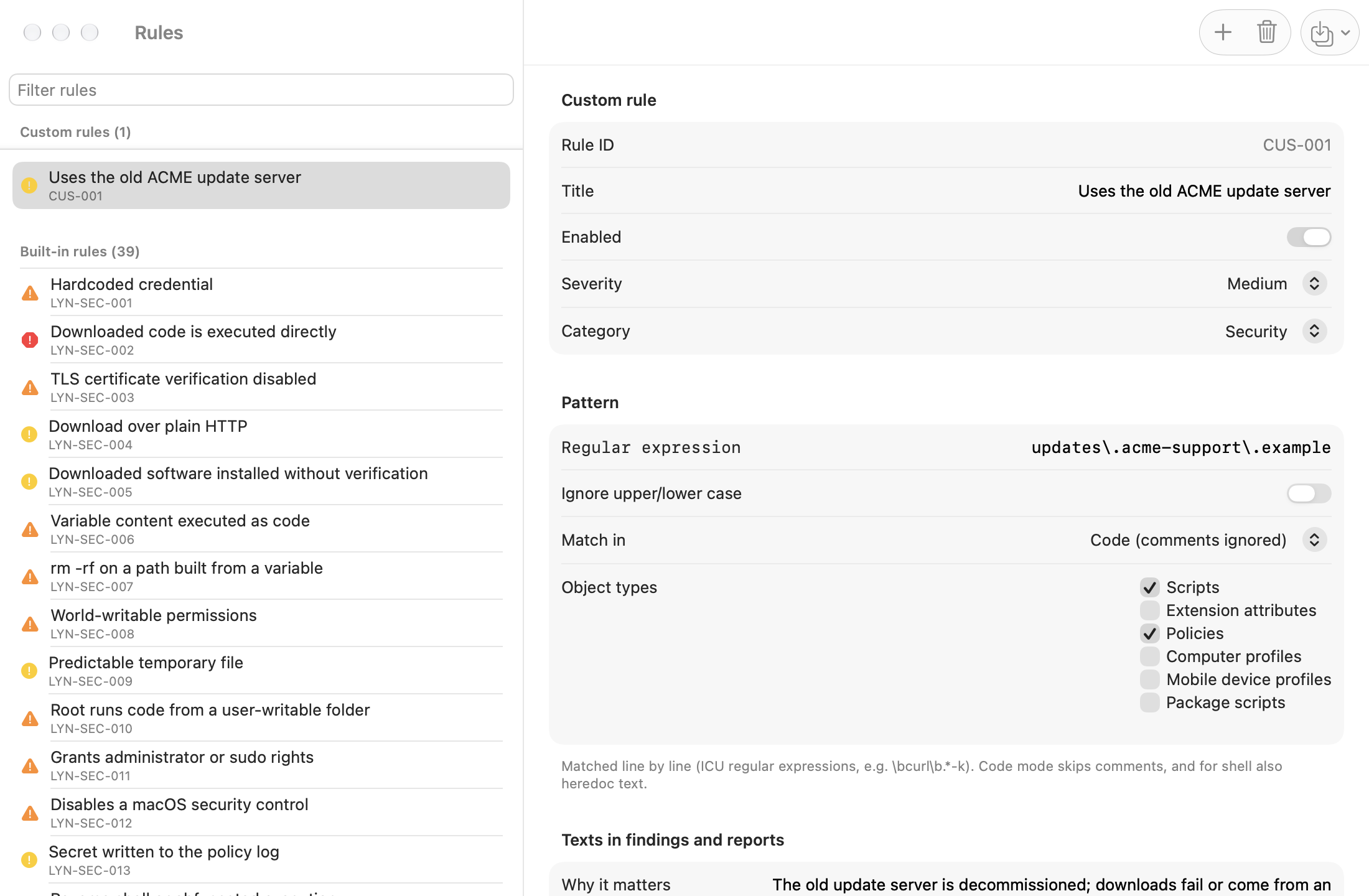
Your Own Rules
Turn built-in rules off or change their severity, write custom rules as regular expressions with a live test, and share them as JSON. MDM can deploy one rule set and lock editing.
⏱️
Live Progress
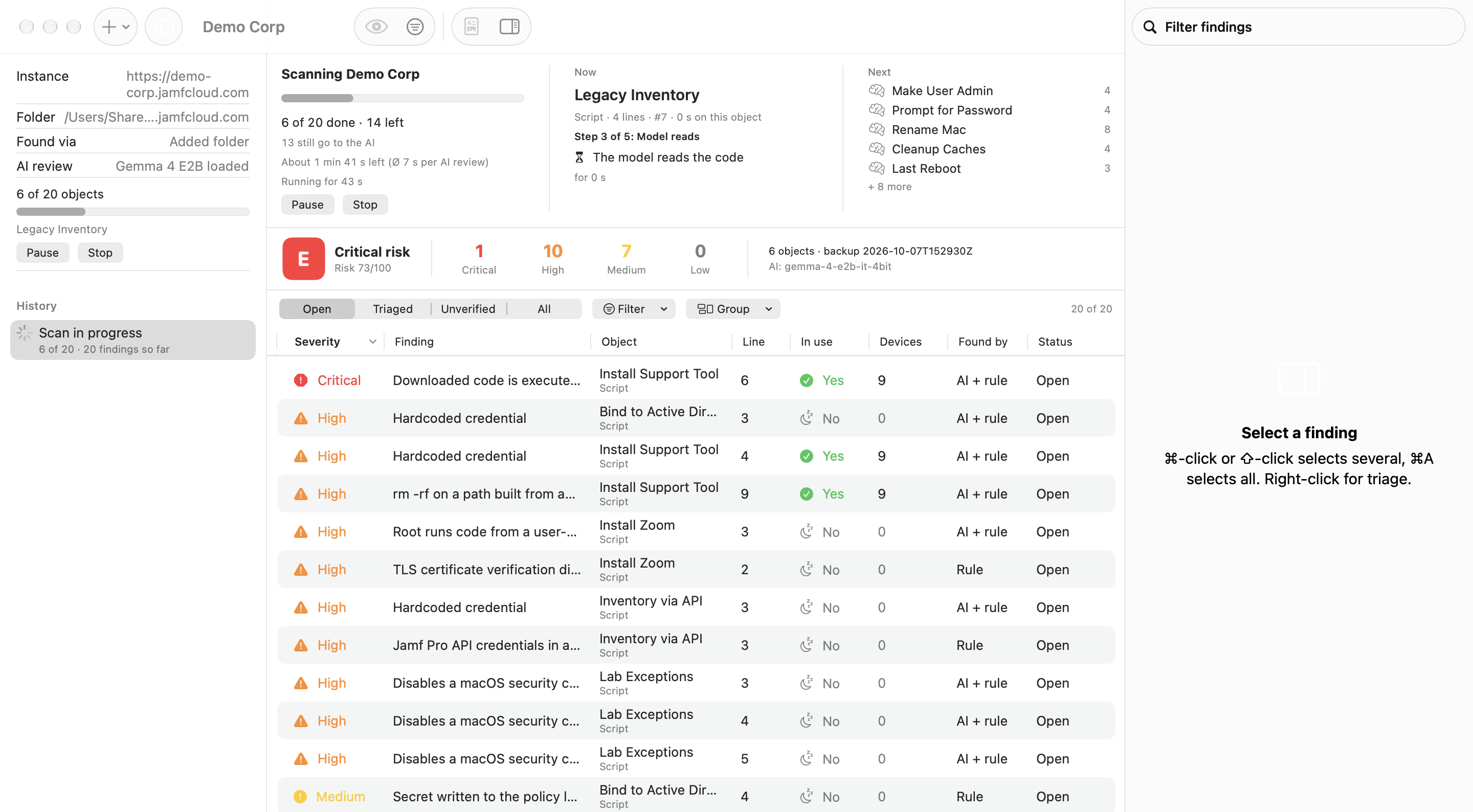
Watch a scan: progress, time left, the object under review and its stage, and the findings so far. If the AI fails, the scan pauses and retries every minute, and a stopped scan resumes where it left off.
🛡️
Local AI, Managed Options
The AI runs on the Mac by default. If a larger model is worth it, an admin can point Lynceus at the company's own OpenAI-compatible server through MDM. Secrets are masked before anything is sent, and AI can be turned off for rules-only scans. No telemetry.